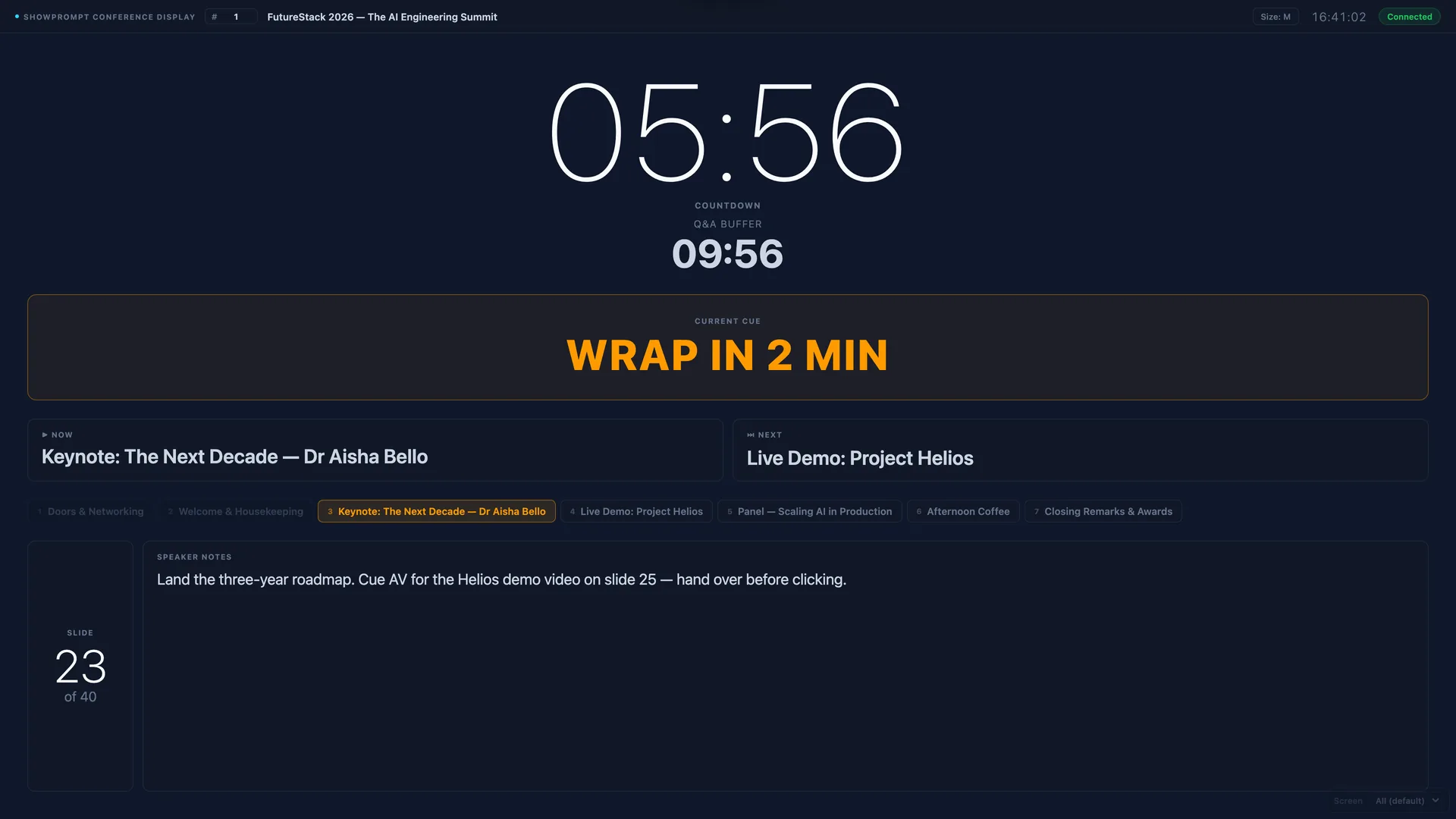
Ask any conference producer what keeps them up at night and "speakers running over" will be near the top. One talk slipping ten minutes pushes everything back: the break shrinks, the sponsor session gets squeezed, the catering arrives to an empty room. So why does it keep happening — and what actually fixes it?
Why speakers overrun
It's rarely arrogance. The usual causes are simple:
- They can't see the time. A clock on the back wall is easy to ignore; a wristwatch is awkward to check mid-sentence.
- They don't know when "now" is. Speakers lose track of how long they've been on. Without a visible countdown they genuinely don't realise they're over.
- The warning comes too late. A stage manager stepping into view at zero minutes is too late to do anything useful.
- Mixed signals. Hand gestures from the back of a dark room are easy to misread or miss entirely.
Give them a number they can't miss
The most effective tool is a large, glanceable countdown on a confidence monitor at the front of the stage. Not a clock — a countdown of their remaining time. When it turns amber at, say, five minutes and red at zero, speakers self-correct without anyone intervening. They can see exactly how long they have and pace themselves to it.
Escalate with cues, not interruptions
For the speaker who still drifts, a discreet cue message — "WRAP UP", "2 MINUTES", "QUESTIONS" — pushed to the same screen does the work of a stage manager without breaking the room's focus. It's firm, clear, and impossible to misread. Crucially it's on the speaker's screen, so the audience never sees the nudge.
Plan the time before the show
Overruns also start in the running order. If you've allocated 20 minutes to a talk that needs 30, the timer just tells you you're failing. Build a realistic running order with planned durations, brief your speakers on them, and let the system auto-load each segment's time as you advance. A smart timing engine then shows your projected finish so you can course-correct early — skip a segment, trim a break — rather than discovering at the end that you're half an hour late.
The payoff
Get this right and the change is immediate: breaks happen on time, sponsors get their full slot, and the day ends when the schedule said it would. None of it requires nagging anyone — just the right number in front of the person who needs it.