One laptop.
Any screen.
ShowPrompt runs entirely on your local network. One laptop runs a small Node.js server; any browser on your network becomes a controller or display. No cloud, no specialist hardware.
Running in three steps
ShowPrompt is designed for working professionals who don't have time to fiddle with software on show day.
Download ShowPrompt
Download ShowPrompt onto the laptop that will run your show. ShowPrompt is a Node.js server — install Node.js once (free, from nodejs.org), then double-click Start ShowPrompt in the folder. The first run sets everything up automatically; after that it's a double-click before each show.
Open the controller
Open the controller page in any browser. Set up your timers, cues, running order, and display settings. This is your show control surface.
Connect your screens
On any device on the same local network, open the display URL in a browser. That device is now a live output screen. No app to install. Nothing to configure.
Local-first by design
ShowPrompt runs as a lightweight server on your show laptop. Everything stays on your local network. Display screens connect over WiFi or wired Ethernet — no internet connection required during the show.
This means a venue WiFi dropout, an internet outage, or a cloud service going down will not affect your show. Your cue screens keep working.
Paid licences require occasional online validation when first activated, but once validated, ShowPrompt operates fully offline.
💻 Show Laptop — Controller
Runs ShowPrompt · Hosts the local server · You operate from here
📺 Display Screens
TV · Tablet · Monitor · Phone · Smart display
📱 Presenter Screens
Cue prompts · Scripts · Speaker notes · Timers
Works on any screen you have
If it has a browser, it can be a ShowPrompt display. No app installs, no dongles, no compatibility issues.
💻 Laptop / Desktop
Windows, macOS, Linux. Any modern browser — Chrome, Firefox, Safari, Edge.
📱 Phones & Tablets
iOS and Android. Safari and Chrome. Full-screen mode supported.
📺 Smart TVs & Displays
Any smart TV or display with a browser. Also works via Chromecast and Apple TV browser.
🖥 External Monitors
Extend your laptop display onto a second monitor. Run the display page full-screen for a clean output.
Your first show in minutes
Install Node.js (one-time)
ShowPrompt runs on Node.js — a free, standard piece of software. Go to nodejs.org, download the LTS version, and install it with the defaults.
Double-click Start ShowPrompt (one-time setup)
Download the ShowPrompt ZIP, extract it to your Desktop or Documents folder, then double-click Start ShowPrompt (.command on Mac, .bat on Windows). The first time, it sets itself up automatically — just once.
The dashboard opens (before every show)
Each time you double-click Start ShowPrompt, a small status window opens showing the addresses for every controller and display page, plus your local network IP, and the dashboard opens in your browser. Leave that window open for the whole show.
Open your output screens
On the show laptop open http://localhost:3000 for the dashboard. On any other device on the same WiFi or wired network, open the IP address shown in the startup banner. Each browser becomes a live display.
Run your show
Set up your timers, running order, cues and notes from the controller. Press start, fire cues, and every connected display updates instantly. Need the full walkthrough? Read the user guide →
Common questions
Does ShowPrompt need an internet connection?
How many display screens can I run?
What if my venue doesn't have WiFi?
Does it work on Windows and Mac?
Do my display screens need anything installed?
Production command — for when the show is on
Beyond the basics, ShowPrompt has three command-room features designed for the moments that matter: the producer who needs to see everything, the operator who needs an instant escape hatch, and the timing engine that tells you whether you're on schedule.
📋 Producer Mode
A read-only show overview for producers, directors and show callers. Current segment, all live timers, drift indicator, connected displays and a live cue activity feed — at a glance. Mode-agnostic: it auto-detects whichever mode is active, showing clarity rather than controls.
⚠ Show Recovery Toolbar
Six recovery actions on every controller. Hold freezes everything. Delay, Skip, Extend manage the unexpected. Blackout and Clear All give you instant clean-screen recovery — but they're press-and-hold so a misclick can't ruin a moment.
⏱ Smart Timing Engine
Add a planned duration to each run-order item. ShowPrompt tracks drift in real time: Running 4 min late · projected end 21:34, recomputed every 5 seconds. Visible to the operator AND the producer. Backwards compatible — no planned durations, no banner.
🎛 Stream Deck / Bitfocus Companion integration
A Bitfocus Companion module is in development for ShowPrompt — it will turn a physical Stream Deck into a control surface for timers, cues and recovery. Not yet available; planned for Pro and Venue.
📱 QR codes for every display
Settings shows a scannable QR for every display URL. Crew tablets and backstage phones connect in one tap — no IP address typing, no URL dictation. Available on every tier.
📋 CSV import for run orders
Build rundowns in Google Sheets or Excel, paste straight into ShowPrompt. Detects tab/comma separators, optional header row, parses mm:ss or seconds durations. Live preview before import.
📄 Show log + PDF / CSV export
Every cue, timer event, segment advance and recovery action logged with timestamps. Post-show: export as PDF or CSV for client reports and post-mortems.
📺 Display preview grid
One click on any controller shows live thumbnails of every connected display. Operator sees what's on every screen without leaving the desk. Producer-friendly view too.
Together these features turn ShowPrompt from a cue system into a live production command centre. The full breakdown is in the user guide.
Every mode. Built for the job.
Six purpose-built modes. Each one has a full operator controller and a dedicated output display for talent, crew, or big screens.
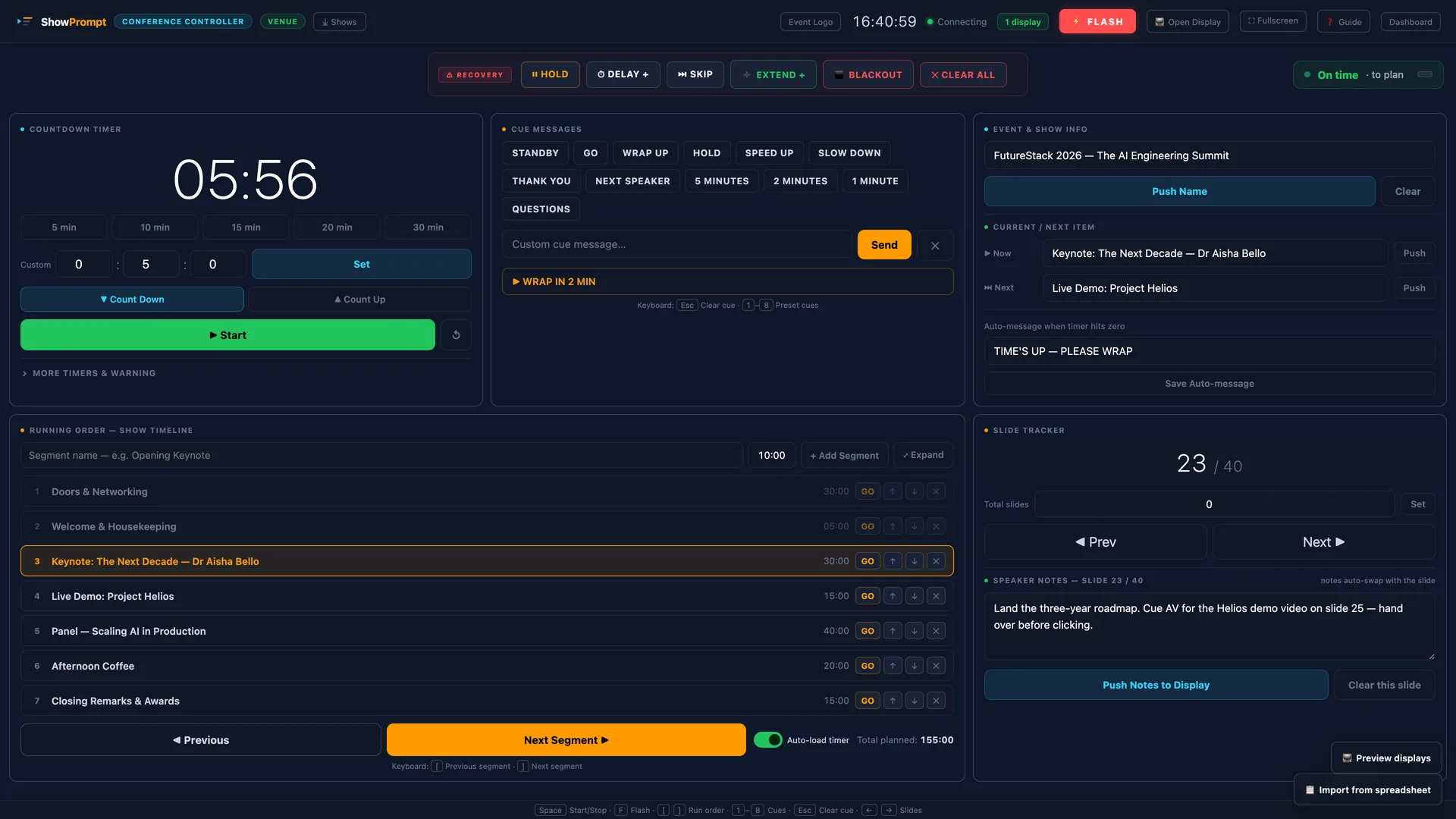
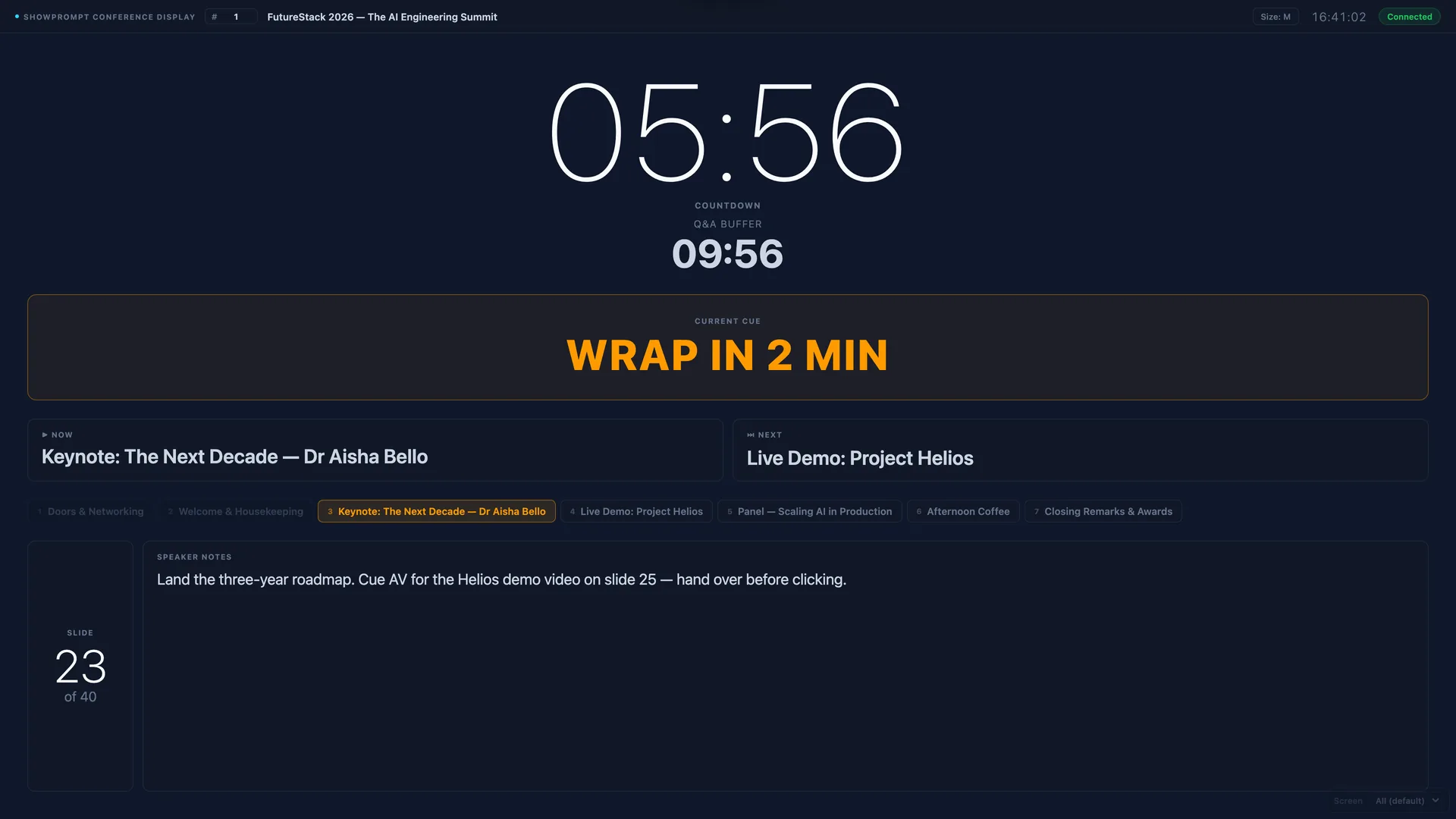
Conference Mode — The operator runs timers, cues, and notes from the controller. Every connected display updates instantly.
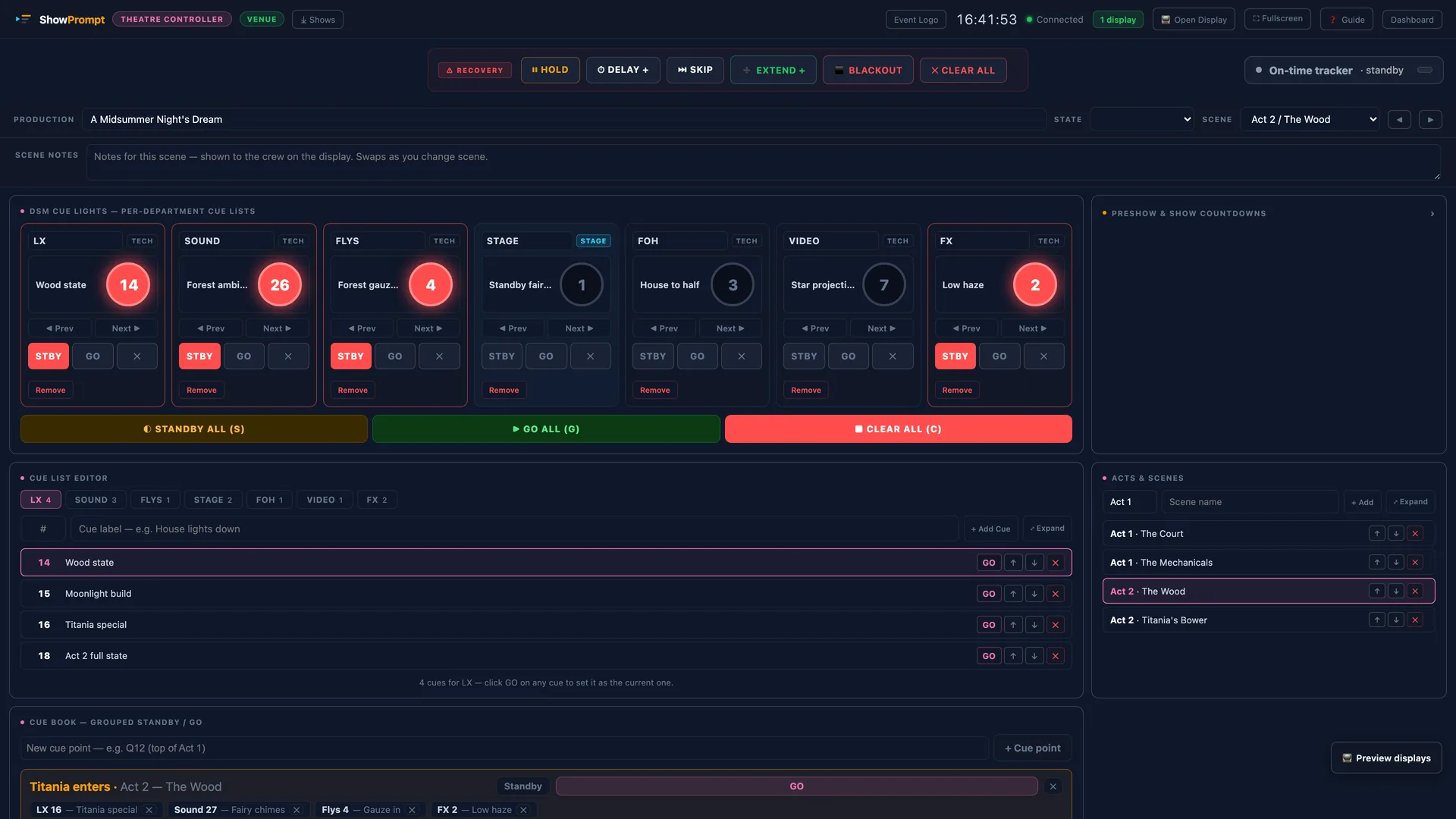
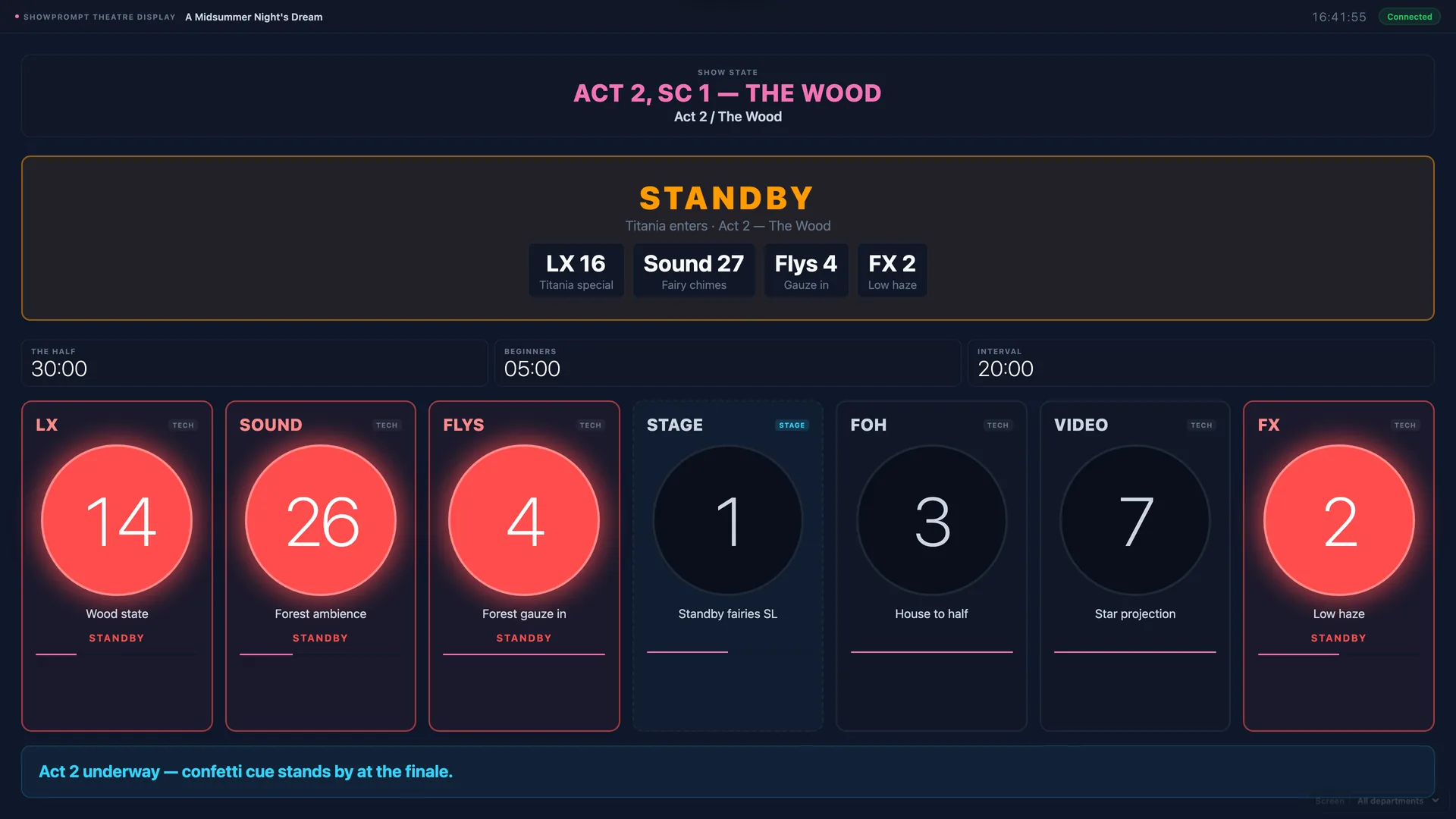
Theatre Mode — DSM calls cues from the controller. LX, Sound, Flys, Stage, and FOH all see live standby and go cues. Interval timers and scene tracking built in.
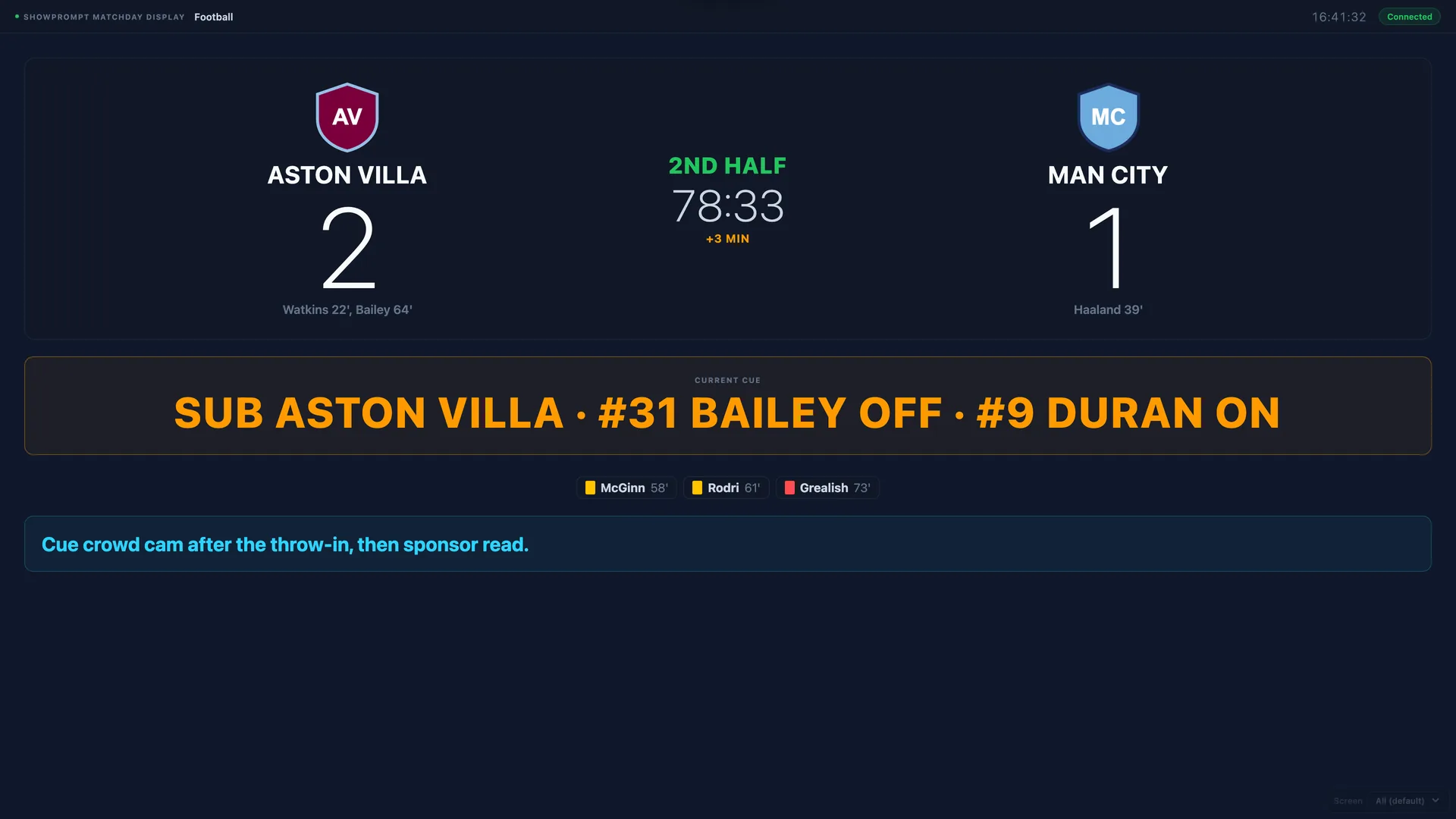
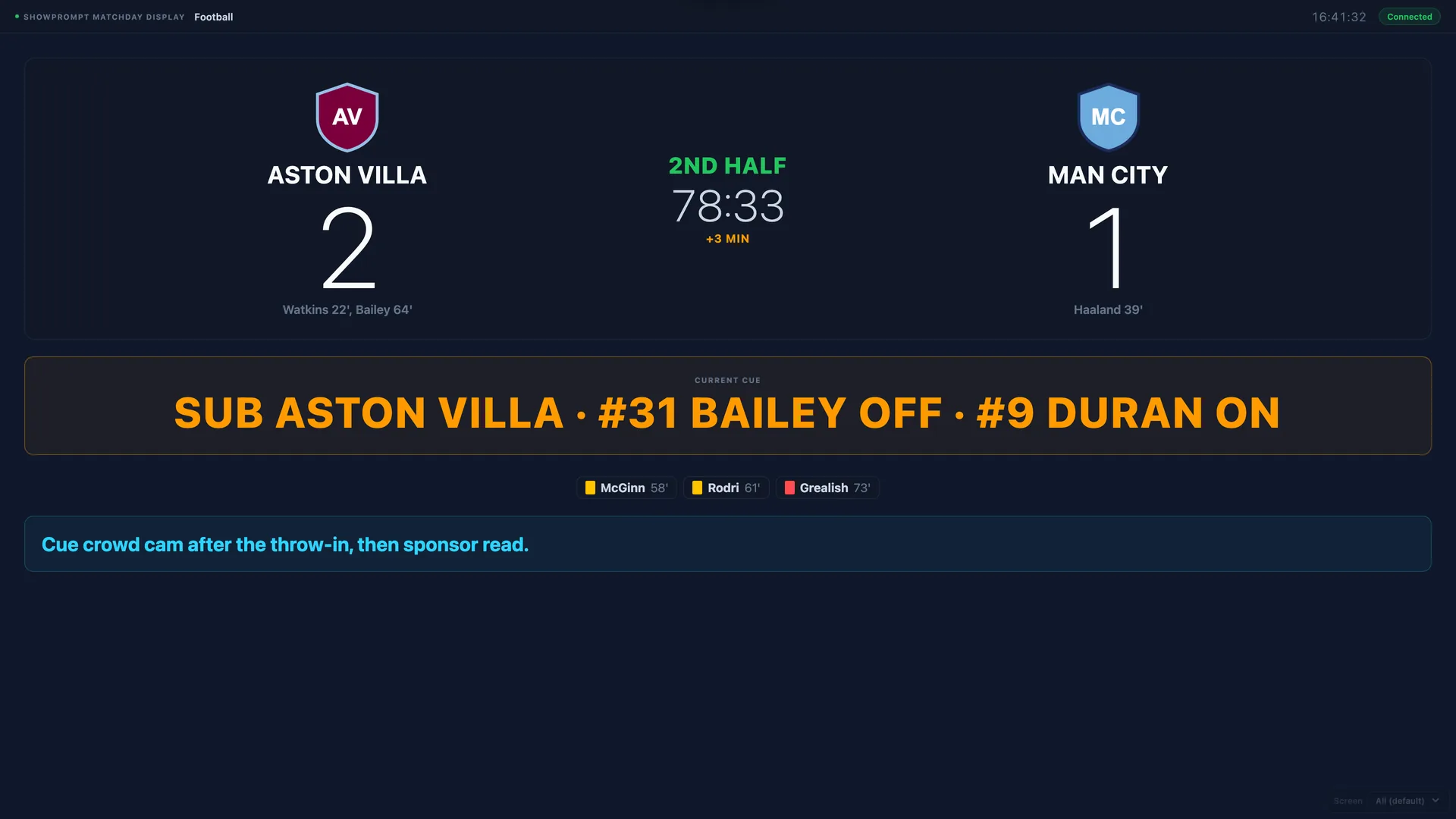
Matchday Mode — Score, clock, period, and cues from one place. Supports Football, Rugby, Cricket, Basketball, Am. Football and more.
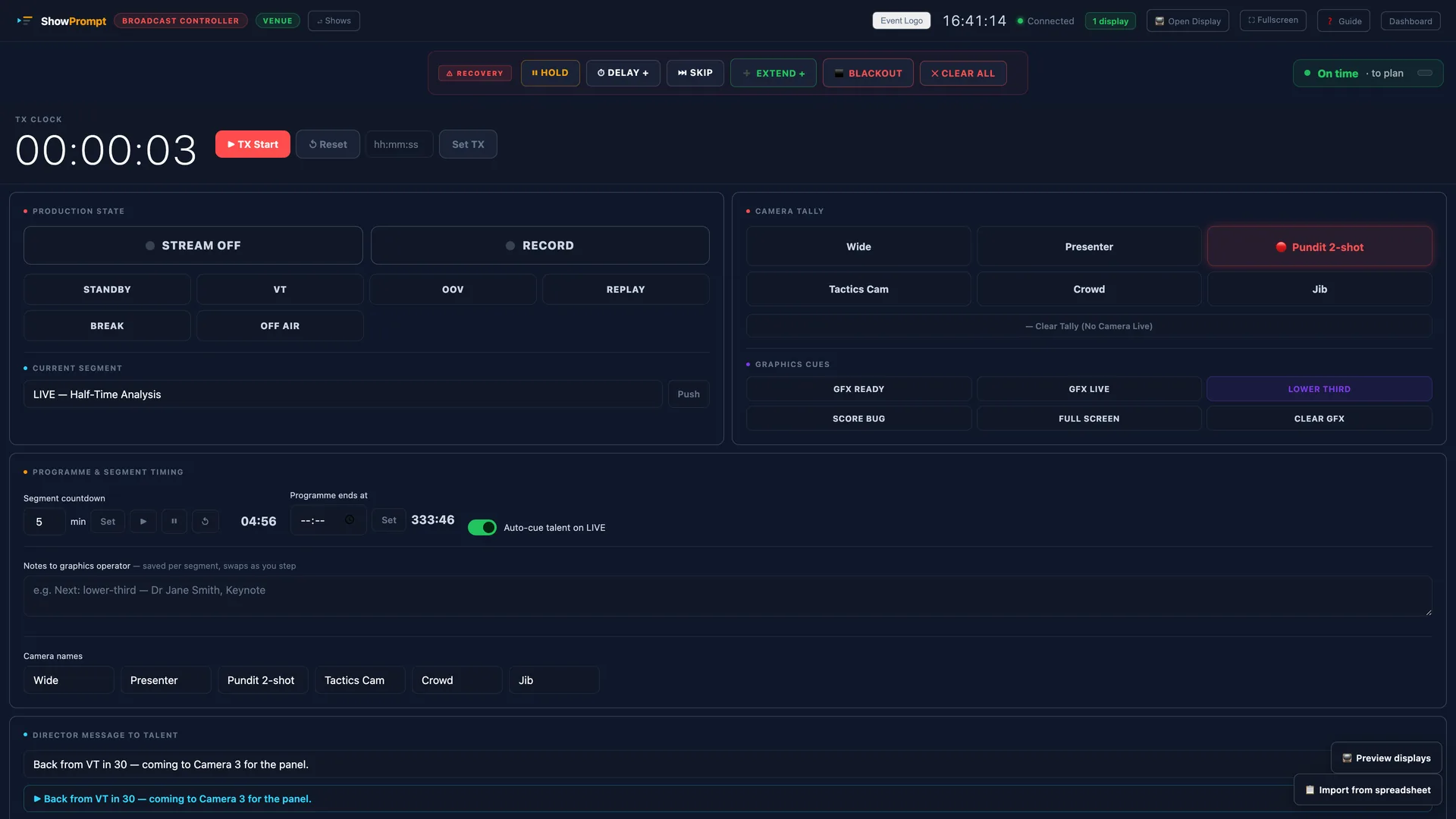
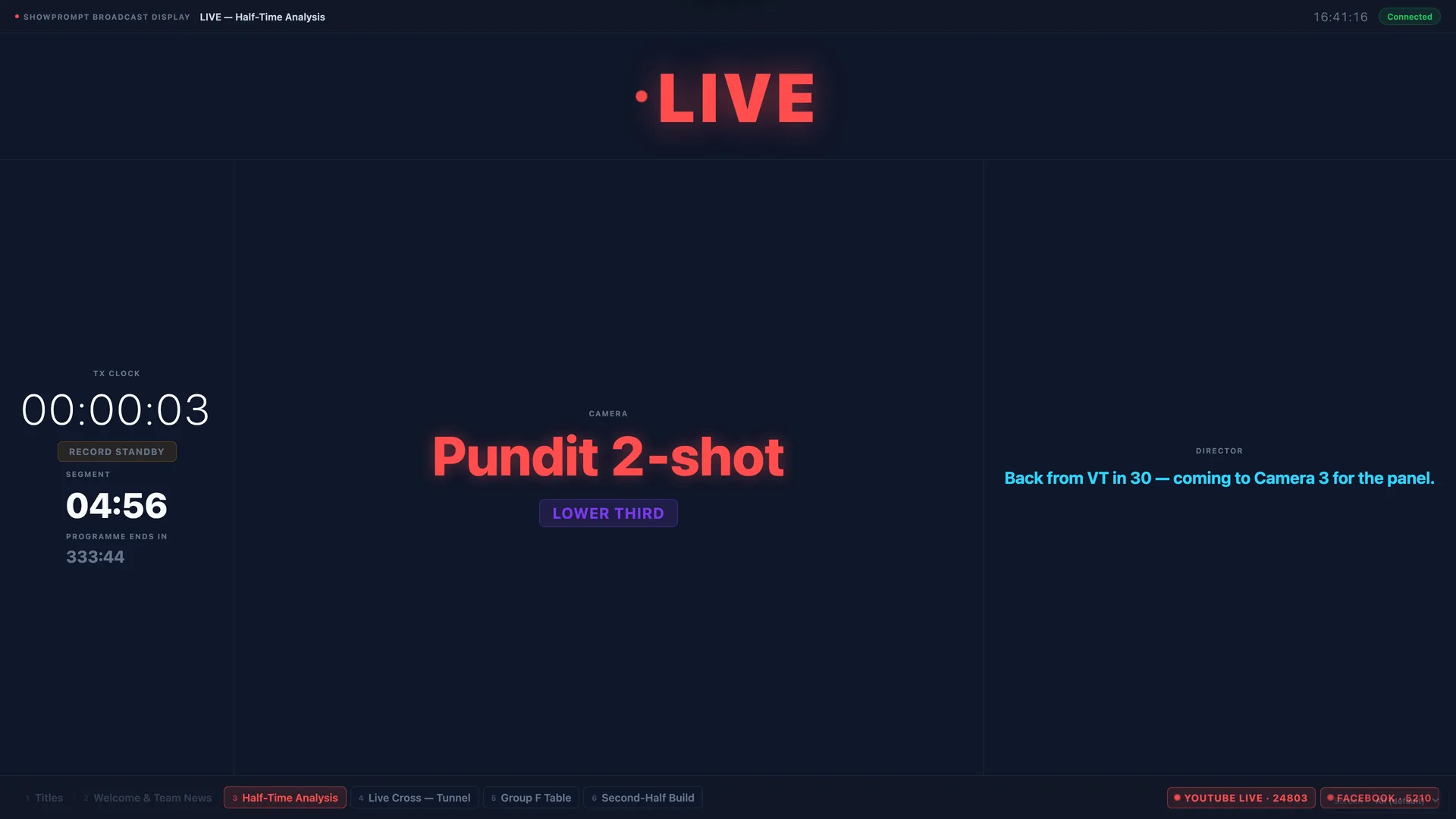
Broadcast Mode — One laptop runs the show. Every device on the network sees TX clock, production state, camera tally, and graphics cues live.
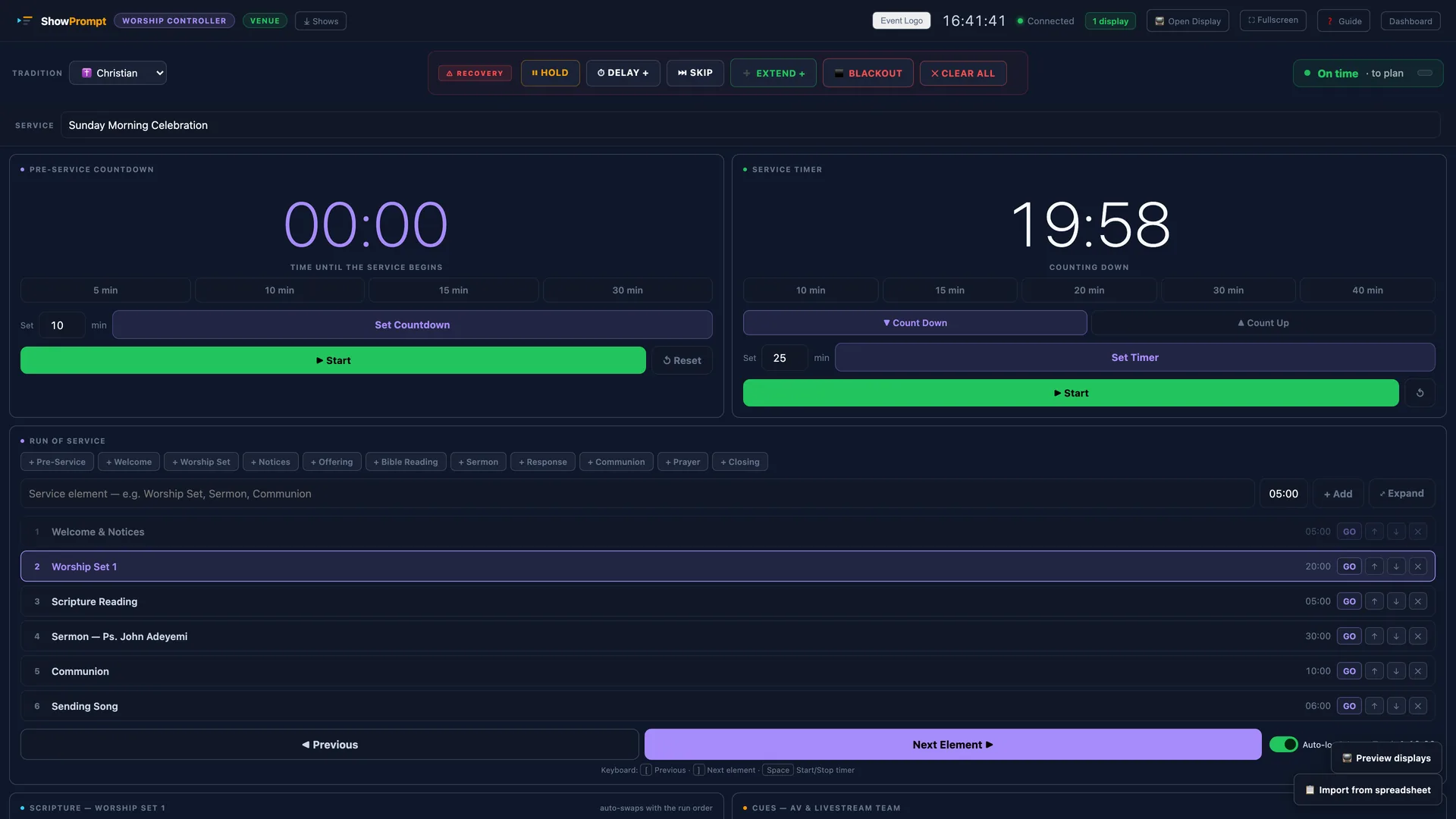
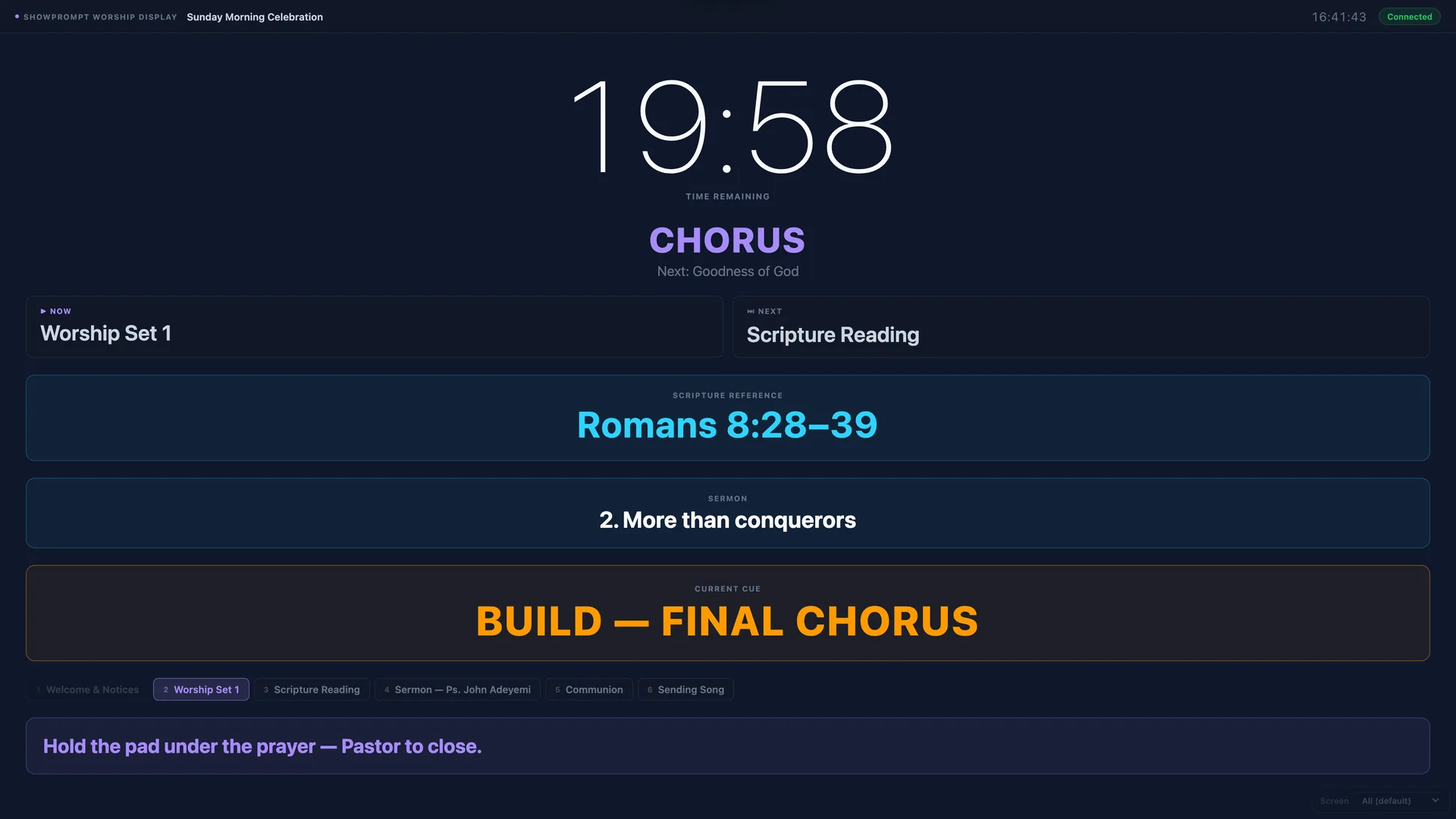
Worship Mode — Pre-service countdown, sermon timer, scripture references, and cues for AV and livestream teams. Supports six faith traditions.
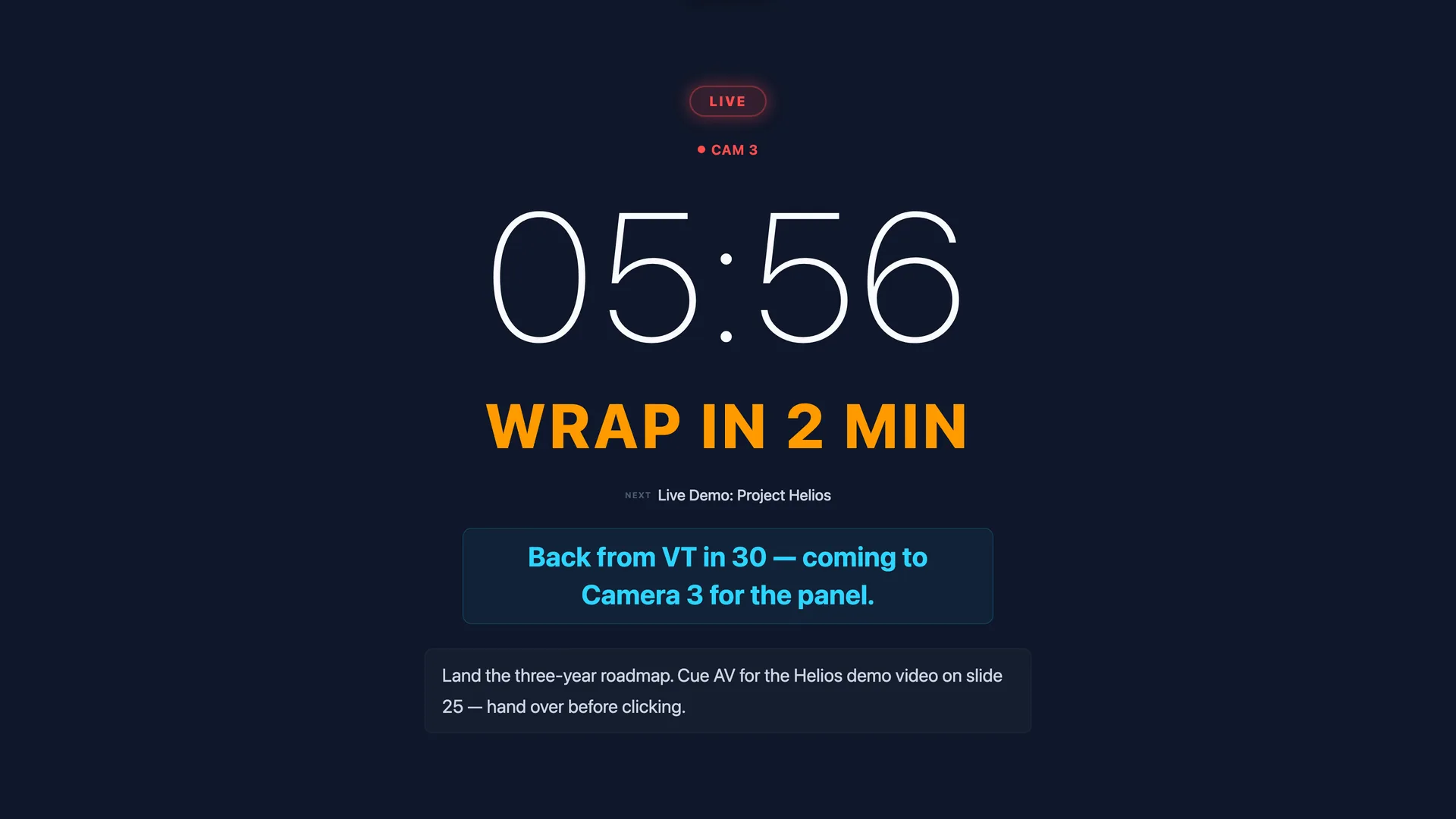
Talent Display — Clean, distraction-free confidence monitor for presenters and on-screen talent. Large digits, current cue, now/next, and director messages.
Ready to see it in action?
Download the free version and have your first show running in under five minutes.