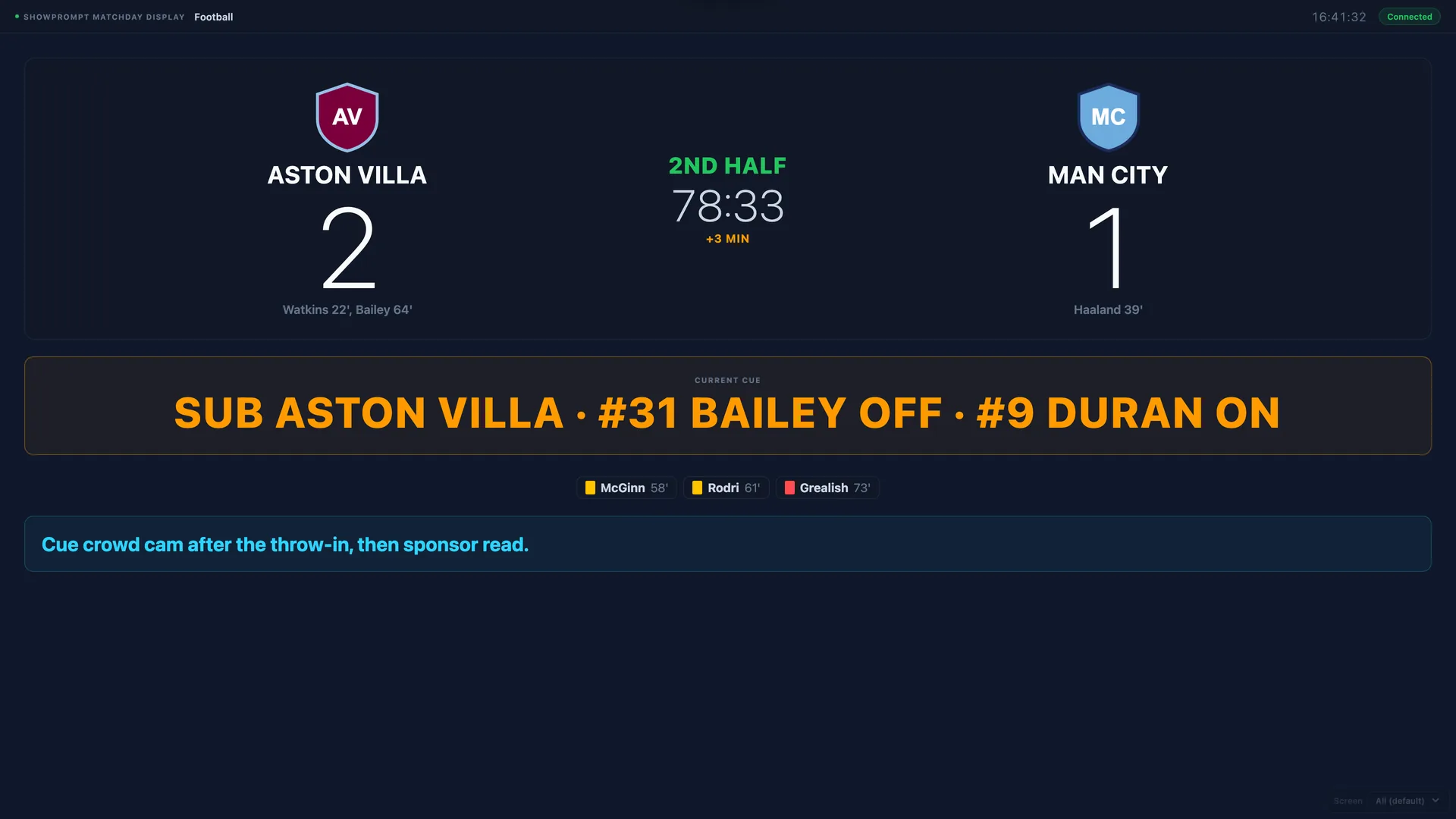
Matchday presentation used to mean a stadium control room and a six-figure scoreboard system. Today a non-league club, a school sports day or a local tournament can put a sharp, branded scoreboard on a big screen with a laptop and a TV. The gap between "grassroots" and "looks professional" has never been smaller.
What "presentation" covers on a matchday
Beyond the score itself, matchday presentation is everything that makes the event feel run: the kick-off countdown, the match clock, the half-time and full-time states, goal and substitution flashes, disciplinary cards, sponsor reads, and the run-of-show for the announcer. Get these onto the big screen and the in-stadium experience jumps.
One controller, the whole bowl
The model that works for small teams: one operator on a matchday controller driving the score, clock and cues, with the scoreboard display on the big screen and a separate view for the announcer in the gantry. The announcer sees the running order and your cues; the crowd sees the clean scoreboard. One person can run all of it.
Get the rules right per sport
A football clock counts up; basketball counts down. Rugby scoring isn't football scoring. Boxing and MMA work in rounds; snooker and darts in frames and legs. Presentation software that actually understands each sport — the right periods, the right clock direction, the right scoring increments — saves you fighting the tool. A built-in rule book for each sport helps the announcer too.
Branding sells it
Club crests beside each team, sponsor reads fired as one-tap cues, and a consistent look across every screen make a modest setup feel premium. Sponsors notice when their read goes out on cue and their logo sits on the bowl screen — and that's what renews the deal.
It has to work when the building doesn't
Stadiums and sports halls are notorious for dead Wi-Fi. A presentation system that runs on your own local network keeps the scoreboard live whether or not the venue has working internet — which, on a wet Saturday, it often doesn't. More on why that matters.
Start small, scale up
The same approach scales from a single pitch-side TV to multiple concourse screens. Begin with the scoreboard and clock, add the announcer view, then sponsor reads and cards. Each step is a small upgrade that makes the day feel a little more like the big time.