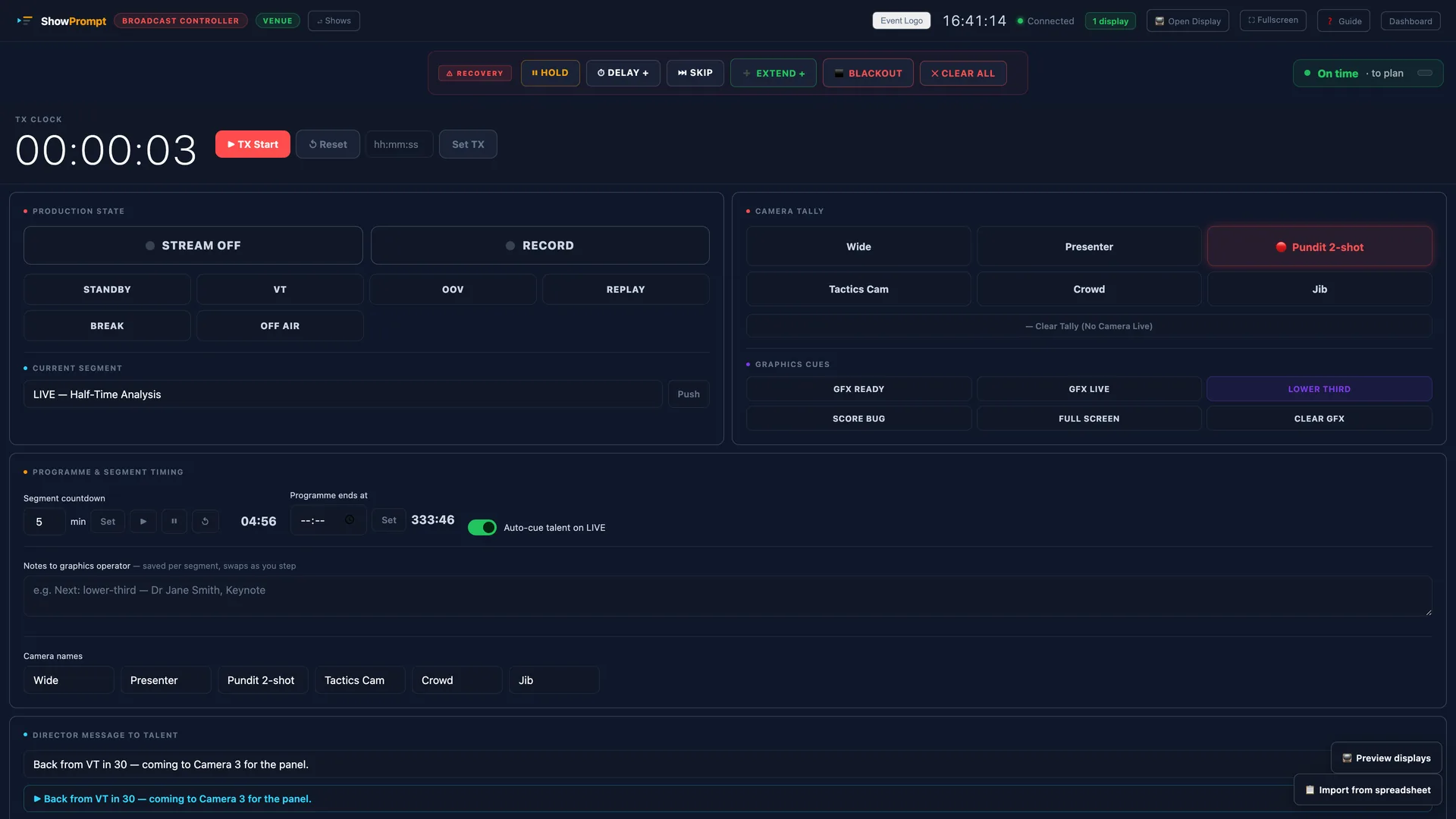
Live streaming has put broadcast-quality production within reach of churches, conferences, schools and small studios. What hasn't scaled down is the gallery — the room full of monitors, tally lights and a vision mixer with a dedicated operator for each role. Most small teams don't have that. The good news: you can cover the essentials with a vision mixer, a couple of operators and the right cue layer on top.
What a gallery actually gives you
Strip away the hardware and a broadcast gallery delivers four things: everyone knows the production state (are we live, in a VT, on a break?), camera ops know which camera is hot, the team knows the timing (how long is this segment, when do we hit the hard out?), and the presenter gets cues from the director. You can reproduce all four without a wall of screens.
1. Make the production state obvious
The biggest small-team mistake is presenters and camera ops not knowing the show is live. A shared broadcast cue screen showing a big LIVE / STANDBY / VT / BREAK state, visible to everyone, ends the "are we on?" confusion instantly.
2. Tally without tally hardware
Proper tally lights wire into the mixer and cost money. A simpler approach for small teams: a camera-tally display the operator updates, showing which camera number is live. It's not automatic, but for a two- or three-camera shoot it's more than enough to stop two ops both pulling focus.
3. Run segment and programme timing
Streams overrun just like stage shows. A segment countdown that turns red and counts up when you overrun keeps the director honest, and a programme-end time keeps the whole show pointing at the hard out. Pair it with a running order so the team can see what's next.
4. Cue the presenter cleanly
Your presenter shouldn't be guessing. A confidence screen showing "back from VT in 30", "to camera 2", or "wrap" lets the director talk to the talent without an earpiece for everyone. Auto-cueing the talent the moment you cut to live removes one more thing to remember.
Keep it on your own network
A livestream already leans on the internet for the outbound feed — don't make your internal cues depend on it too. If your cue screens run on the local network, a wobble in your upload doesn't blind your own team. Track where you're streaming (YouTube, Facebook, X) as status, and let your existing encoder do the actual streaming.
The takeaway
You don't need a gallery to look like you have one. You need the production state, tally, timing and cues in front of the right people — and a small, reliable system to push them there.