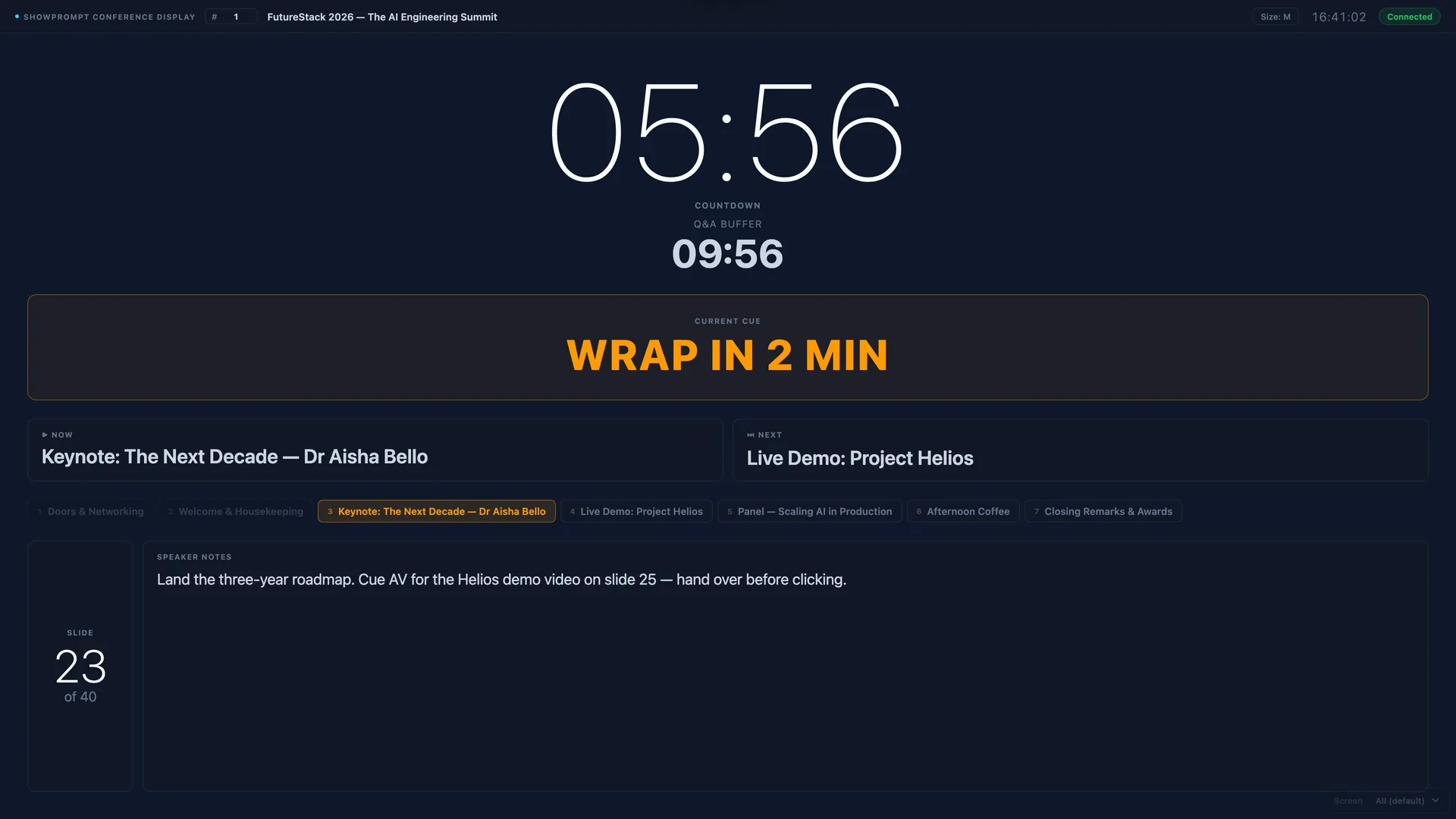
If you've ever sat behind a tech desk watching a speaker go five minutes over their slot — while frantically waving a piece of A4 with "WRAP UP" written on it — you already know the problem.
Free countdown timer apps for live events are surprisingly hard to get right. Most options fall into three camps: lightweight phone apps that don't scale to a stage display, browser-based tools that pull from the cloud and break the moment the venue WiFi drops, or enterprise show-control software that costs four figures and takes a week to learn.
ShowPrompt is built for the boring middle: professional stage timers and presenter cues, running entirely on your local network, with zero installation on output screens, and a Free tier that's actually usable.
What the Free tier gives you
You download ShowPrompt to one laptop. That's the controller. Then any device on the same network — a TV at the back of the room, a phone clipped to a lectern, a tablet propped on a music stand — opens a URL in its browser and becomes a display.
The Free tier includes:
- Full-screen countdown timer with adjustable warning thresholds
- Flash warning at the threshold you set
- Count-up or count-down direction
- Works on any modern browser
- One output screen
- No account, no licence, no cloud account, no nag screen
That's it. No trial period. No watermark. No "free for personal use" trick — Free is Free.
Why local-network beats cloud for live events
When you're running a conference or stage event, the worst possible time for a tool to fail is during a transition. Cloud-based timers depend on three things working: the venue's internet, the SaaS provider's servers, and the route between them. Any one of those drops and your countdown freezes mid-cue.
ShowPrompt runs entirely on your local network. The controller laptop serves the display pages directly to whatever devices are on the same WiFi or wired network, with no round-trips to a server in Frankfurt. No cloud dependency. If the venue's internet drops mid-show, ShowPrompt doesn't notice — and neither does your audience.
When the Free tier is enough
The Free tier is genuinely complete for a lot of use cases:
- A single speaker timer for a panel session
- A countdown to the start of a service at a small church
- A simple "time remaining" display for a workshop
- Backstage prep for a school production
If that's what you need, you're done. Download it, run it, get on with the show.
When you need more
Upgrade paths kick in when you need:
- More than one output screen (Pro: 4 screens, Venue: unlimited)
- Cue lists and running orders alongside the timer (Pro)
- Presenter notes that push to a talent display (Pro)
- Multiple roles seeing different views at the same time (Pro)
- Mode-specific tooling for theatre, worship, broadcast, sport, or talent prompting (Venue)
But for a straight countdown timer for live events, Free does the job. See the full pricing breakdown or jump straight to how the stage timer works.