Stage Timer Software
for Live Events
Large, clear countdown and count-up timers on any screen. Flash warnings. Multi-timer support. Works on any device over your local network — no internet required.
The problem
Keeping presenters, performers and production teams on time is one of the most critical and underrated jobs at a live event. Cheap timers lack visibility, dedicated timer hardware is expensive, and spreadsheets on a laptop screen can't be seen from the stage.
How ShowPrompt solves it
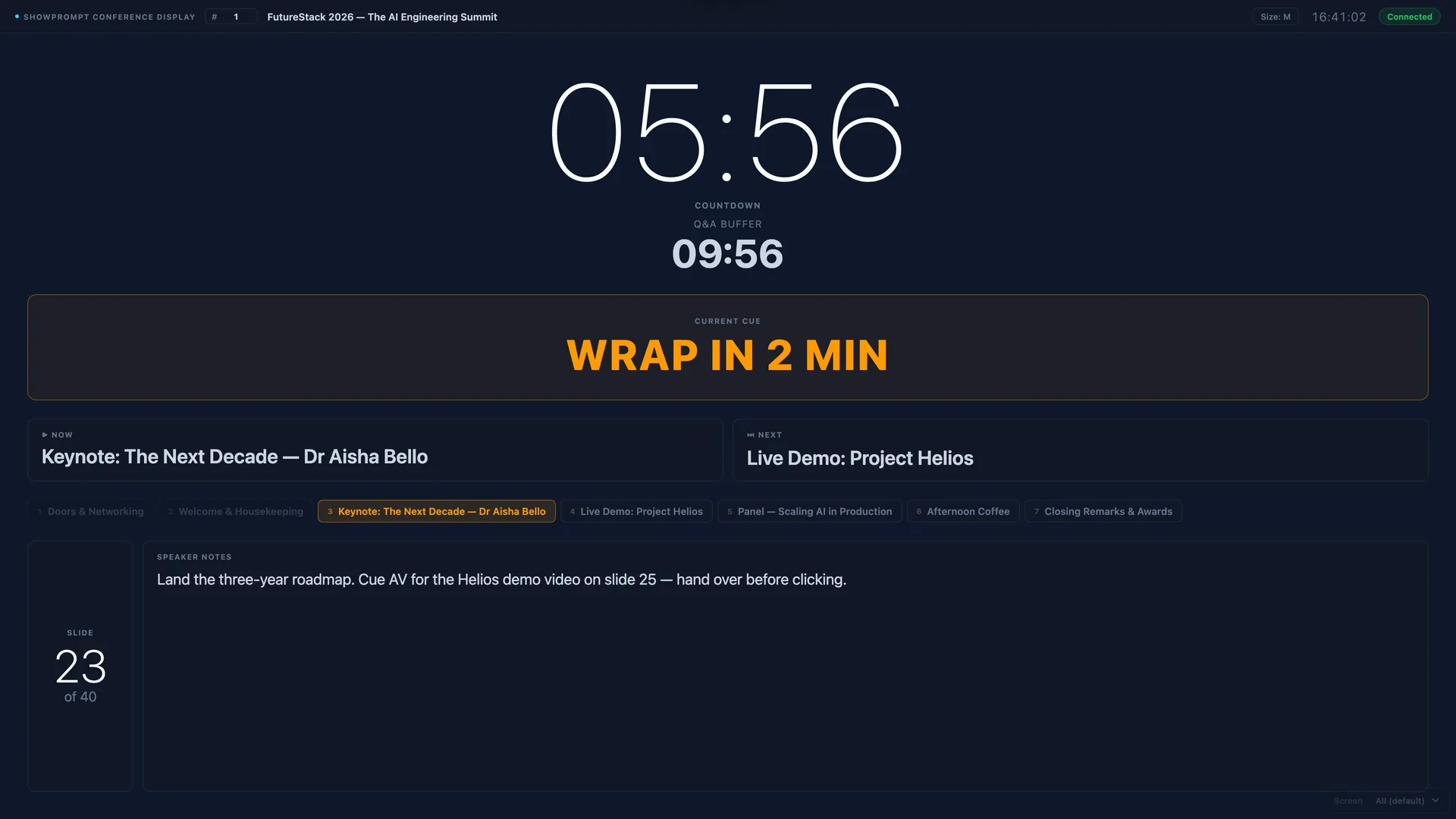
ShowPrompt puts a large, high-contrast countdown timer on any screen at your venue — a TV on a stand, a monitor at the side of stage, a tablet on a lectern. The production team controls the timer from the controller. Flash warnings fire automatically at your chosen threshold.
What's included
Large countdown display
Big, full-screen countdown timer visible from anywhere on stage. High contrast, easy to read at distance.
Flash warnings
Timer flashes orange at your configured warning threshold (e.g. final 2 minutes). No manual intervention needed.
Multiple timers
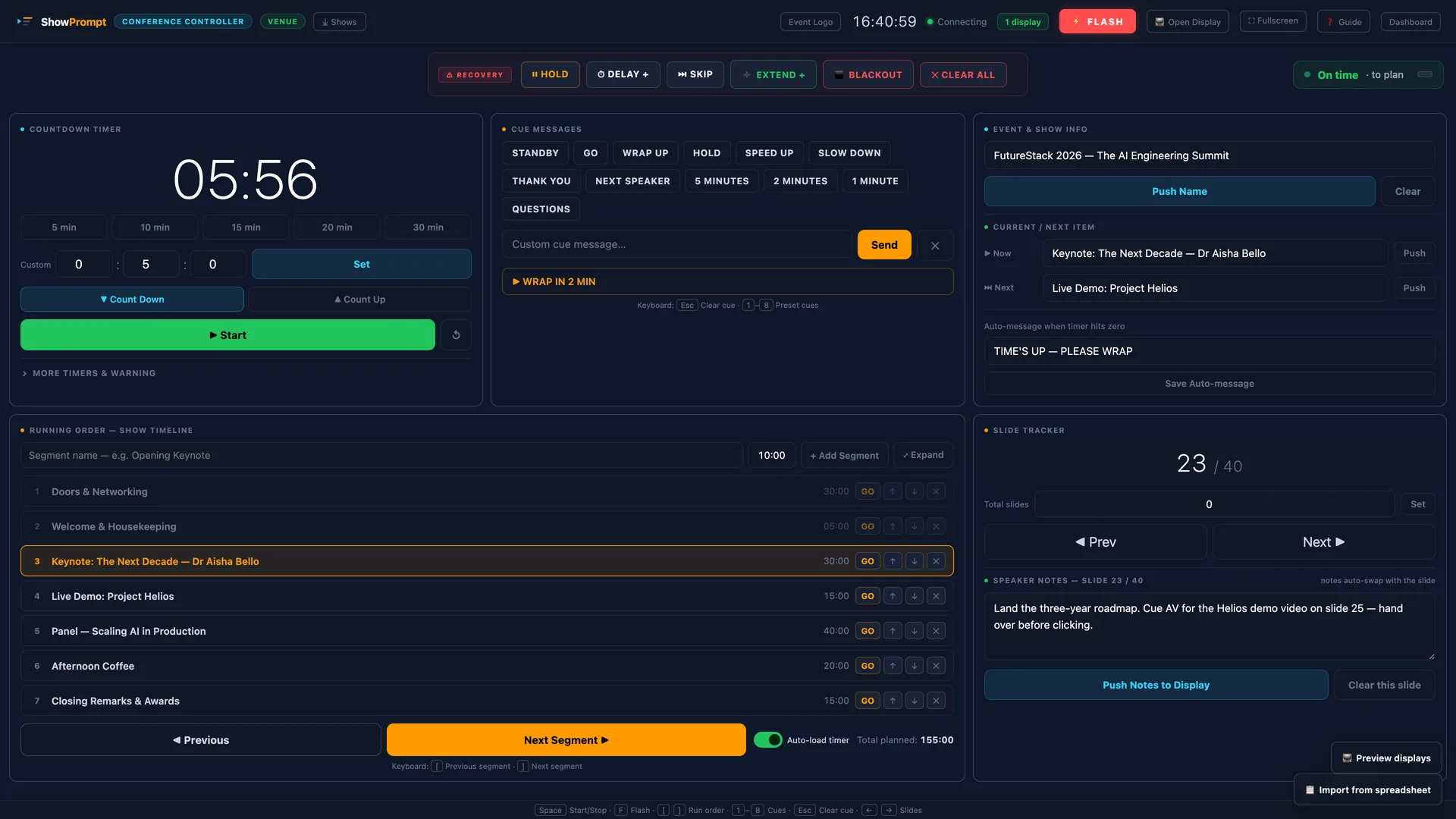
Run separate timers for different elements — speaker time, break countdown, session total, interval. All controlled from one screen.
Start, pause, reset
Full timer control from the controller. Start, pause, resume and reset without affecting what displays see until you're ready.
No internet needed
Runs entirely on your local network. Works in any venue regardless of internet access.
Any screen is a display
TV, monitor, tablet, phone — if it has a browser, it can show your stage timer. Nothing to install.
Questions about Stage Timer
Can I set a custom warning time?
Can I use it for count-up as well as countdown?
Can the stage timer screen show anything else alongside the timer?
Does it work in bright environments?
Set and run from the controller
Ready to try ShowPrompt?
Download free today. Upgrade to Pro or Venue when you need more.