Broadcast Cue Screen
for Live Production
TX clock, production state, camera cues, graphics prompts and director messages to talent — in a clean display built for live streaming and broadcast teams.
The problem
Live streaming and broadcast productions need talent to know when they're live, what camera to look at, when a VT is running, and what's coming next. Professional broadcast tally and cue systems are expensive and complex — overkill for smaller productions, live streamers, and hybrid events.
How ShowPrompt solves it
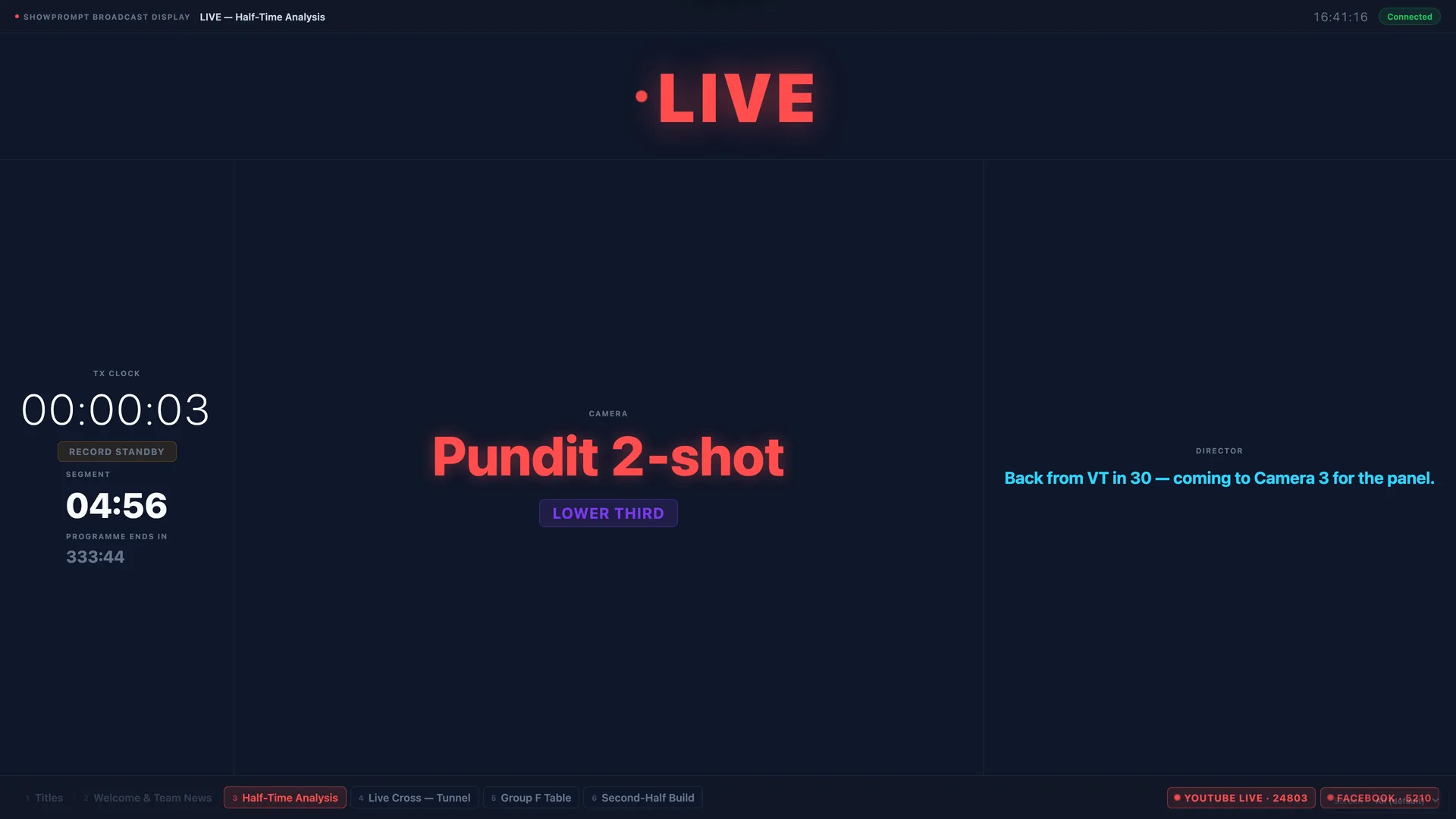
ShowPrompt's broadcast display puts TX clock, on-air state (Live / VT / Break / OOV), camera indicators, graphics cues and director messages on any screen in your production environment — controlled from the same laptop running the rest of your show.
What's included
TX clock
Transmission clock showing elapsed on-air time. Accurate, large and always visible to talent and floor managers.
On-air state display
Clear LIVE / VT / BREAK / OOV / STANDBY state displayed prominently. Talent and crew always know the current production state.
Camera indicators
Tell talent which camera is active or what shot is next — helping them look at the right place during live broadcasts.
Graphics cues
Push graphics cue prompts to talent — lower thirds, name straps, titles — so they're prepared for on-screen graphics.
Director messages
Send text messages from the director or producer directly to the talent's screen in real time.
Local network, no internet
Runs on your local production network. Reliable even without internet access at the venue.
Questions about Broadcast
Is this a tally light replacement?
Can it work alongside a vision mixer or streaming software?
Can the talent control their own screen?
Is this suitable for corporate live streaming?
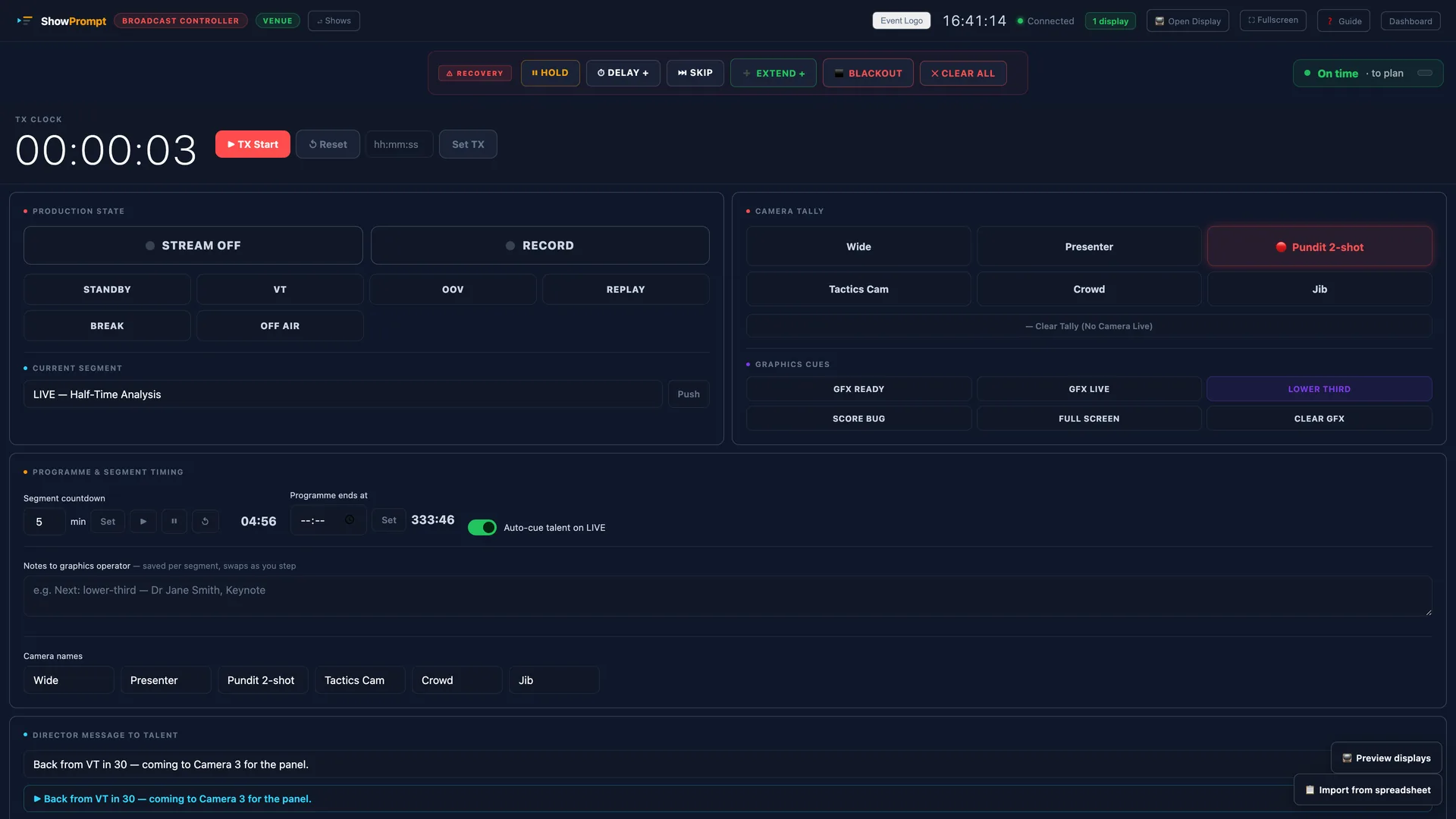
The controller behind it
Ready to try ShowPrompt?
Download free today. Upgrade to Pro or Venue when you need more.