Built for how real shows run
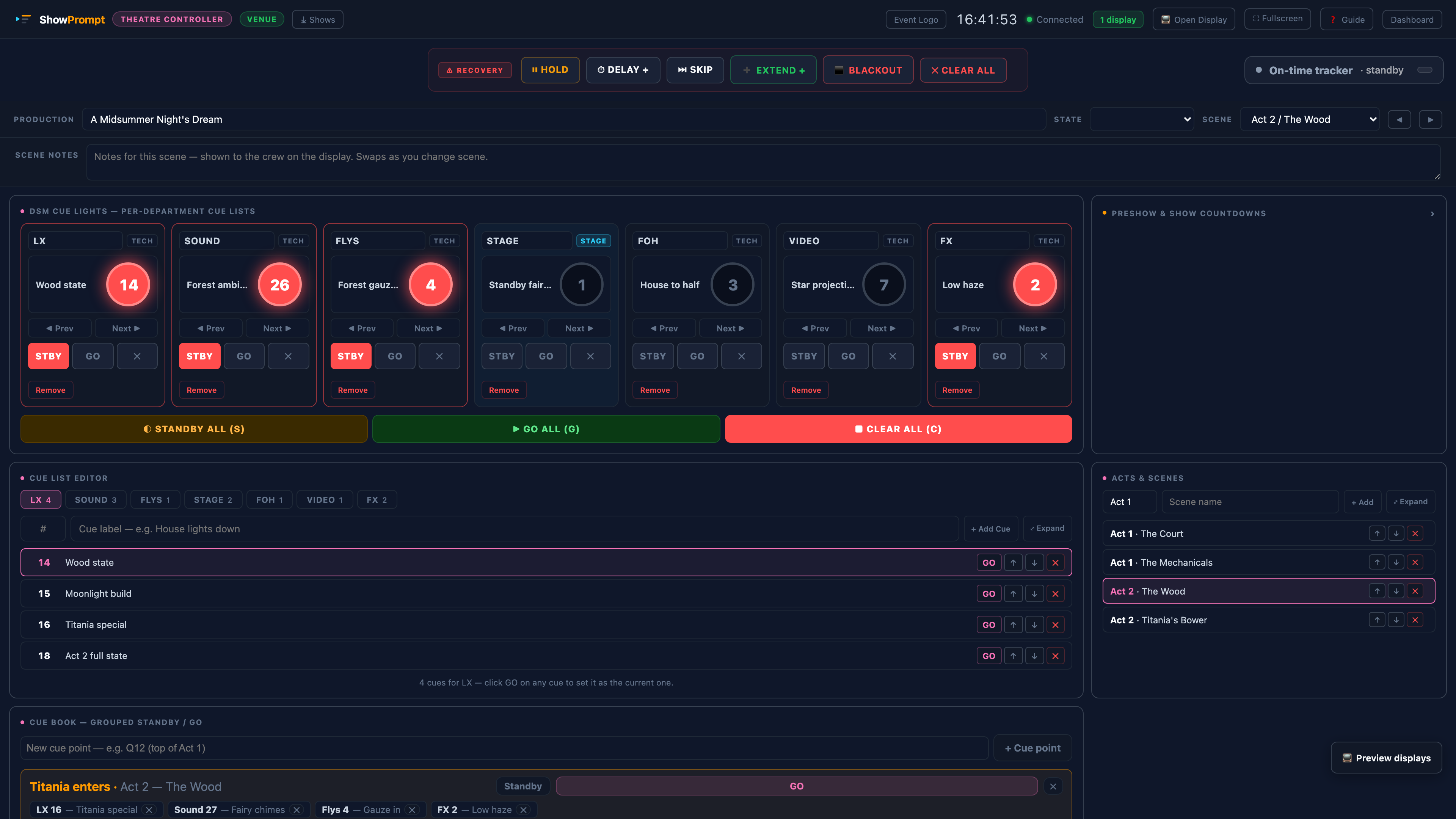
Purpose-built per mode — Theatre runs each department's cue list independently, and the cue book can group LX, Sound, Flys and FX to fire together on one GO.
Not because it's the only option. Because it's the right one — practical, affordable, and built by people who actually run live shows.
The Free tier gives you a high-quality countdown timer between one controller and one display — enough for rehearsals, simple shows, or to try before you buy. Paid licences cost less than an hour of most cue-hardware hire.
Install Node.js once, then it's a double-click on Start ShowPrompt and the dashboard opens in your browser. No commissioning, no configuration files, no learning curve for the crew. If you can open a browser, you can run ShowPrompt.
Everything runs on your own network with no dependency on venue Wi-Fi or an internet connection. Display screens reconnect automatically if a link drops. There is no cloud service that can go down mid-show.
The Venue tier runs unlimited local displays across a whole site — any device with a browser can join. No per-screen licences, no extra hardware, no pricing surprises when you add a screen.
Nothing leaves your network. No accounts, no telemetry, no data sent anywhere. What happens on the show stays on the show. Important for clients and venues with strict data policies.
If you have ever watched a speaker sail past their slot with no clean way to tell them — or priced up cue hardware and quietly closed the quote — ShowPrompt is built for exactly that gap.
Between the free tools that aren't good enough and the broadcast software you don't need — ShowPrompt sits exactly where working professionals actually live.
Every decision in ShowPrompt was made around what a real show needs on the day — not what looks good on a product page.
Most cue tools do timers well. ShowPrompt adds the bits that matter when something goes wrong, or when the producer needs to see the whole show at once.
Read-only show overview for producers, directors and show callers. Current segment, next segment, drift indicator, all live timers, connected displays, live cue feed — one screen, no controls, just clarity.
Hold, Delay, Skip, Extend, Blackout, Clear-All. Six recovery actions on every controller. Built for when shows go sideways. Press-and-hold confirms for destructive actions prevent mid-show misclicks.
Add planned durations to your run order and ShowPrompt tracks drift in real time. Running 4 min late · projected end 21:34 — shown to the operator and the producer.
A proper Companion module ships with ShowPrompt — 30+ actions, 25+ live state variables, 9 button-colour feedbacks, and two ready-made preset pages (Stage Manager and Recovery). Drop the module into Companion's modules folder and your Stream Deck becomes the physical control surface for the whole show.
Purpose-built per mode — Theatre runs each department's cue list independently, and the cue book can group LX, Sound, Flys and FX to fire together on one GO.
Download free and run ShowPrompt on your next show. No commitment, no account, no time limit.