Theatre Cue Display
and Cue Light Software
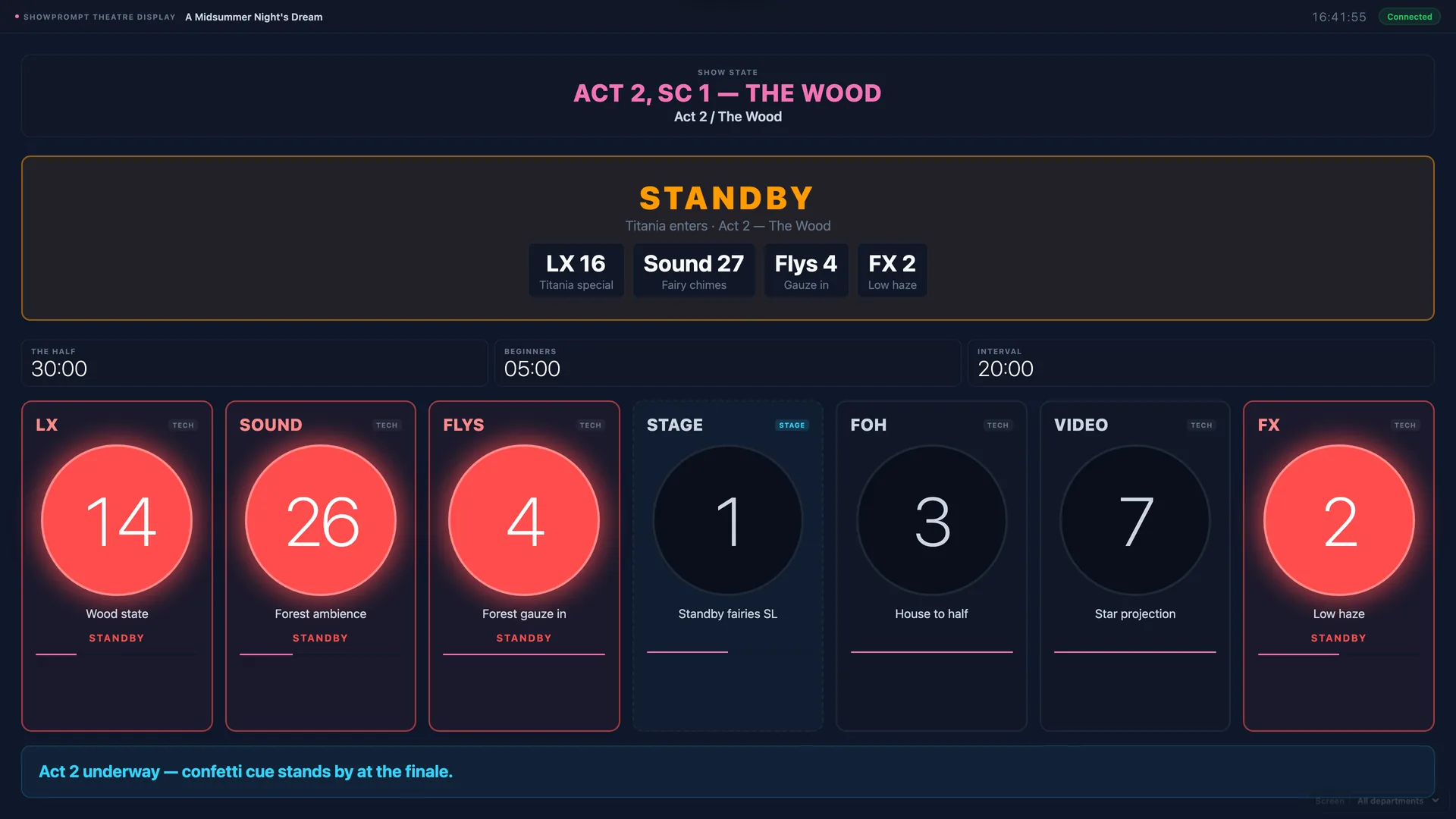
DSM-style cue light display for LX, Sound, Flys, Stage and FOH. Show state, countdown timers and per-department standby and go — all from one browser screen.
The problem
Small and mid-size theatre productions often can't afford dedicated cue light hardware. Productions running in non-standard spaces, black boxes, or on tour need flexible cue management without dedicated infrastructure.
How ShowPrompt solves it
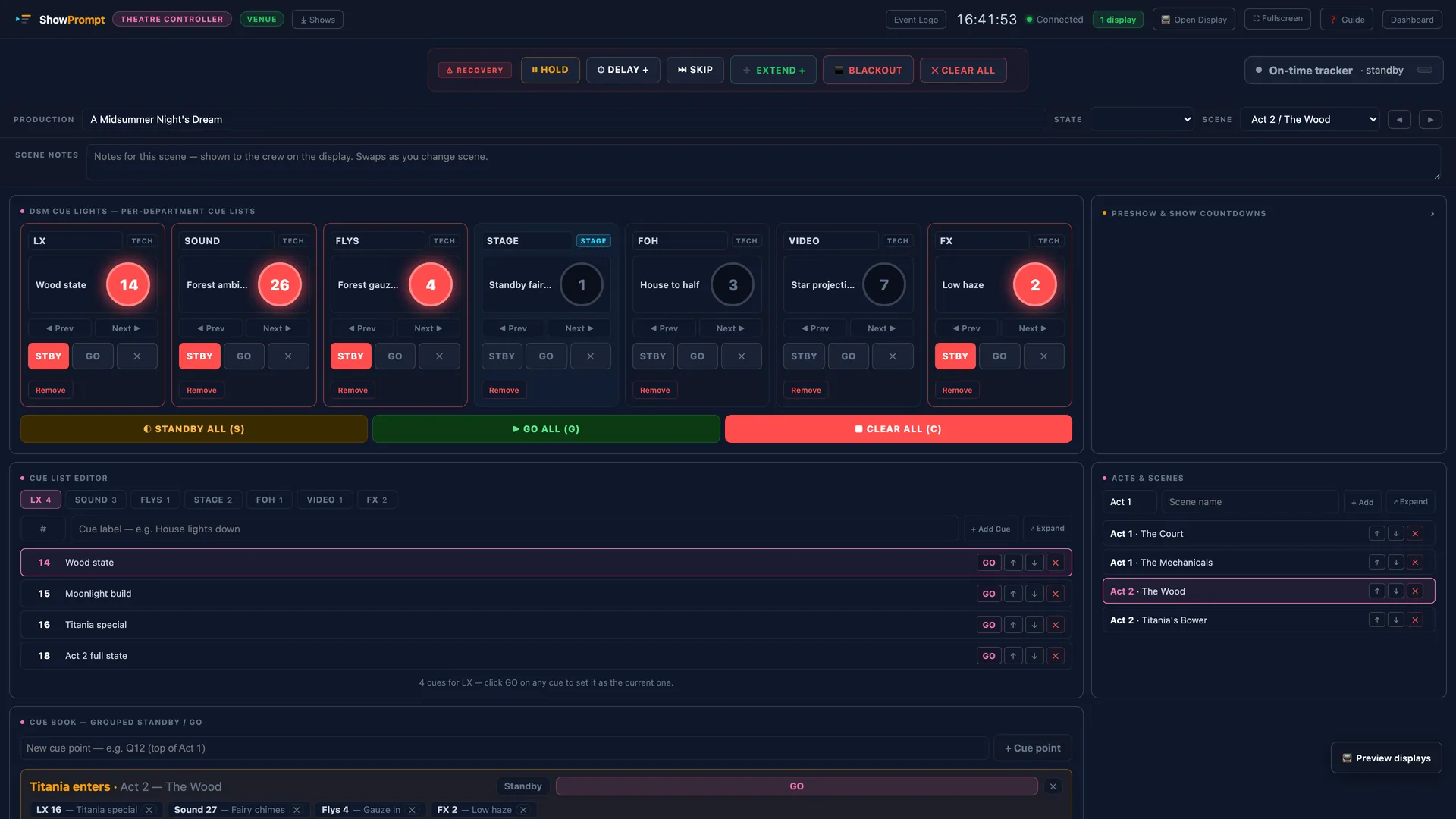
ShowPrompt's theatre display gives each department their own standby and go cues on a browser screen. The stage manager calls cues from the controller, and each department screen lights up with standby and go in real time — no hardwiring, no dedicated cue light rack.
What's included
Per-department cue lights
Separate standby and go for LX, Sound, Flys, Stage, and FOH. Each on their own screen — or all on one shared screen.
Show state display
Clear show state: Pre-Show, The Half, Beginners, Act 1, Interval, Act 2, Show Over. Always visible to the full team.
Countdown timers
House Open, The Half, Beginners, Interval timers — all controllable from the stage manager's controller page.
No cue light hardware needed
Replaces or supplements dedicated cue light racks. Any screen becomes a cue light display.
Works on any device
Tablet, phone, laptop, monitor — each department can have their own screen without specialist equipment.
Local network, no internet
Runs entirely on your local network. No internet required during performances.
Questions about Theatre
Is this a replacement for a proper cue light system?
Can each department have their own screen?
Can I customise which departments appear?
Does it work for amateur theatre?
Called from the cue book
Ready to try ShowPrompt?
Download free today. Upgrade to Pro or Venue when you need more.