Show Caller Cue System
for Live Production
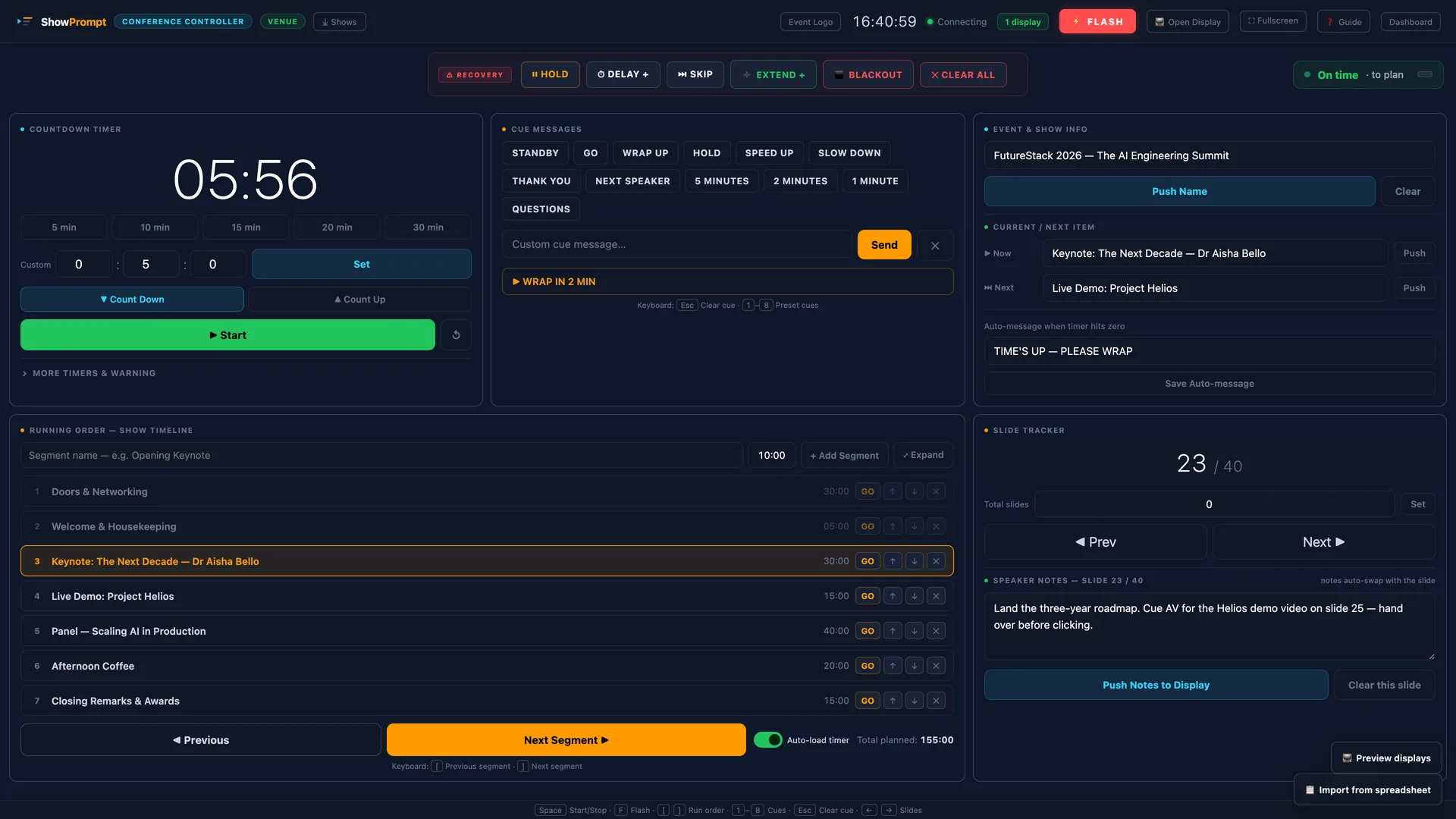
Full running order, cue list, standby and go controls, and timer management — everything a show caller needs in one view. Local-first. No internet required.
The problem
Show callers, stage managers and production coordinators need to call cues, manage timing, push information to other screens and keep the whole team aligned — often from a desk with only their laptop. Most tools are either too simple or overly complex broadcast systems.
How ShowPrompt solves it
ShowPrompt is built from the perspective of someone calling a show. The controller gives you a full running order, cue list with standby and go, timer controls, and the ability to push information to every display screen simultaneously — all in one browser window.
What's included
Full running order
Build your complete show running order inside ShowPrompt. Navigate through items in real time as the show progresses.
Cue list with standby/go
Call cues with standby and go controls that push to department displays. Clear, fast cue interface designed for live calling.
Integrated timers
Control all show timers from the same screen you're calling cues from. No switching between apps.
Push messages to screens
Send text messages to talent, presenter, or department screens without leaving your cue page.
Multi-screen output
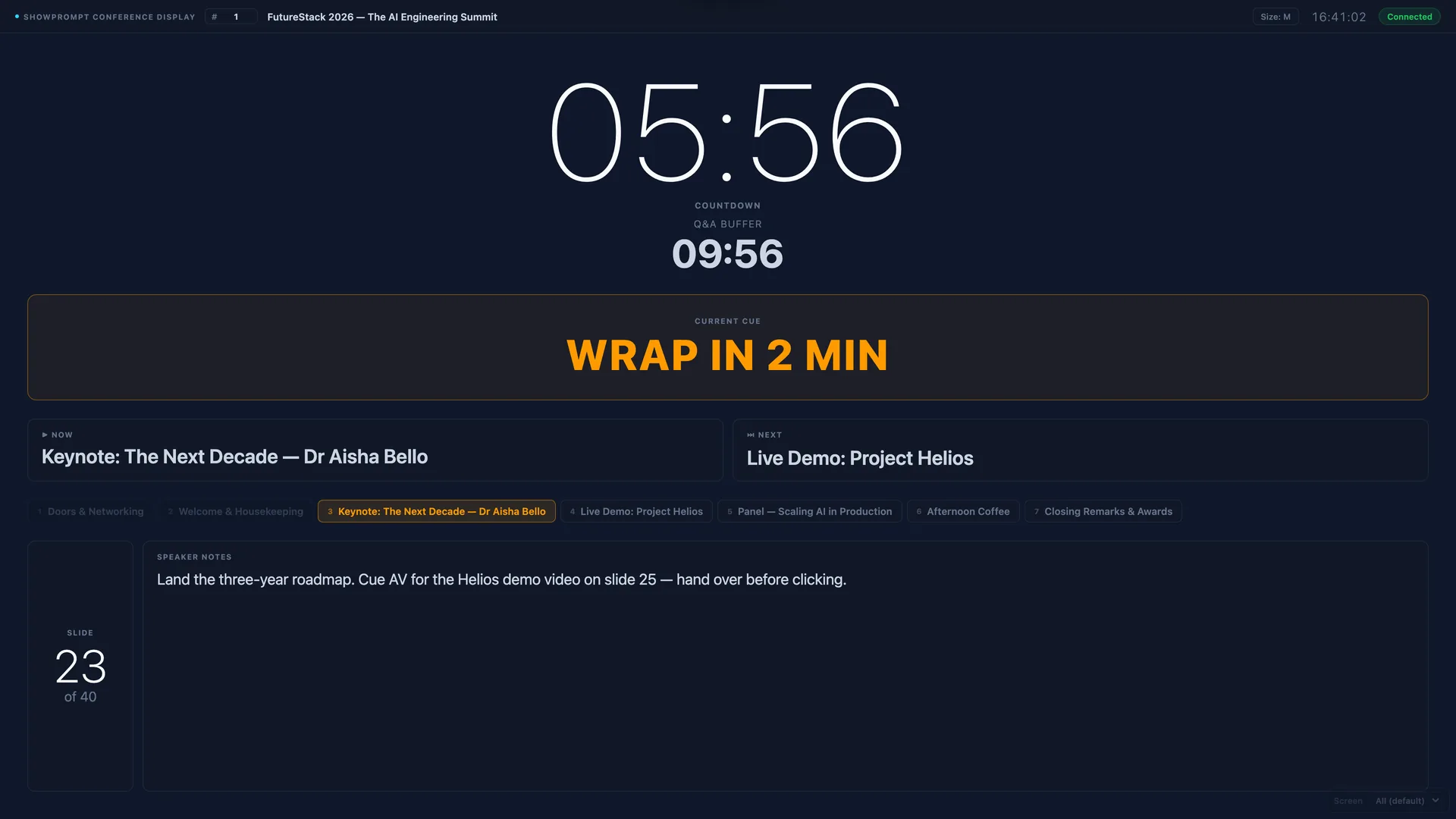
Your calls push to every connected display screen simultaneously — talent monitor, stage timer, department cue screens.
Offline operation
No cloud dependency. ShowPrompt runs locally. Internet outages during your show will not affect your calling position.
Questions about Show Caller
Can I import a running order from a spreadsheet or Word doc?
Can I use ShowPrompt alongside an intercom system?
Can I call cues from a tablet rather than a laptop?
Is there a dedicated DSM or stage manager mode?
What the room sees
Ready to try ShowPrompt?
Download free today. Upgrade to Pro or Venue when you need more.