Presenter Cue Screen
Software
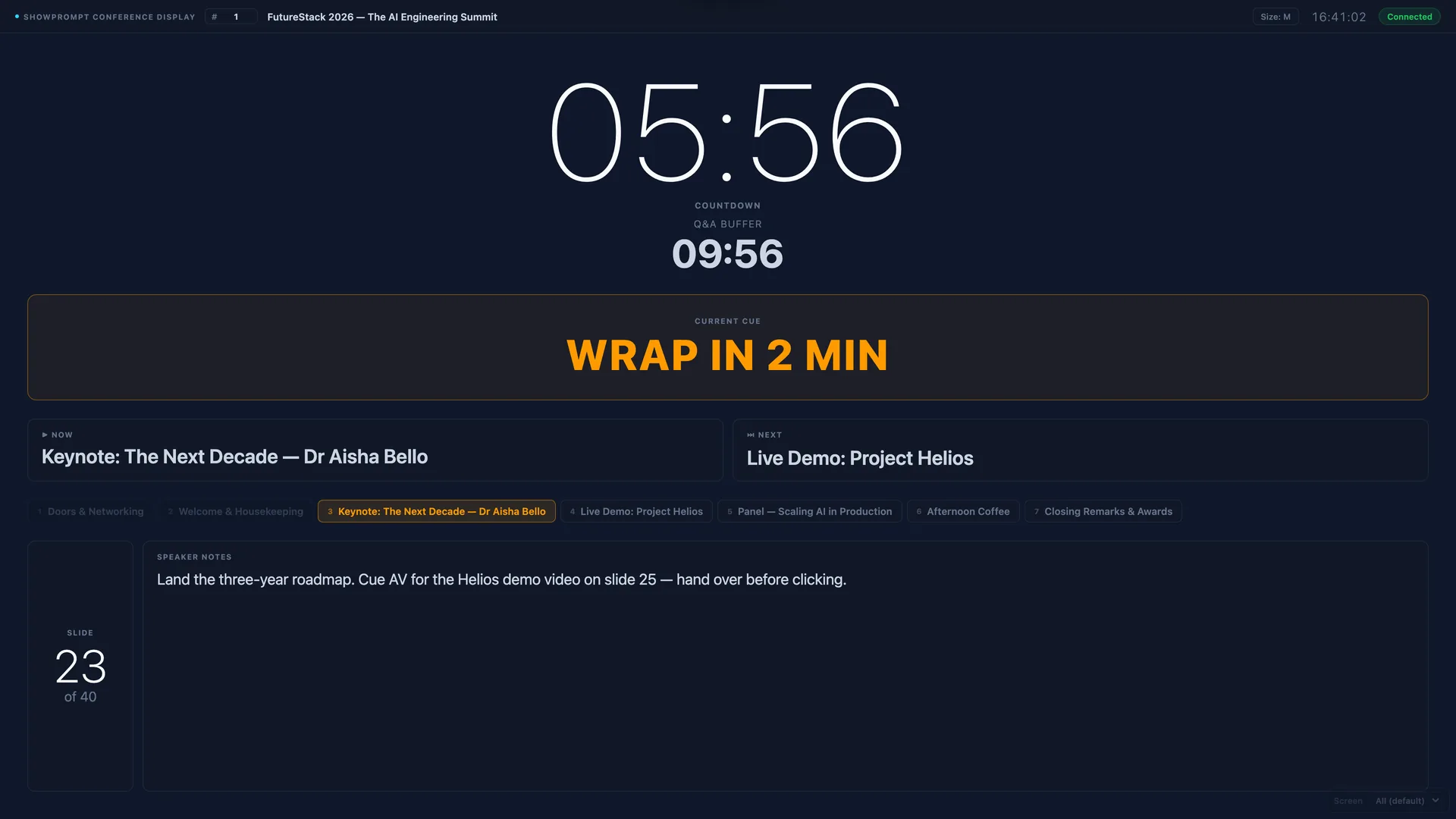
Time-remaining, next segment, director notes and cue prompts on any screen visible to your presenter or host. Works over any local network. No specialist hardware.
The problem
TV presenters, event hosts and conference speakers need clear signals from the production team — how much time they have, what's coming next, and director instructions. IEM comms work for complex shows, but for simpler productions and smaller budgets, a clean visual display is faster and less intrusive.
How ShowPrompt solves it
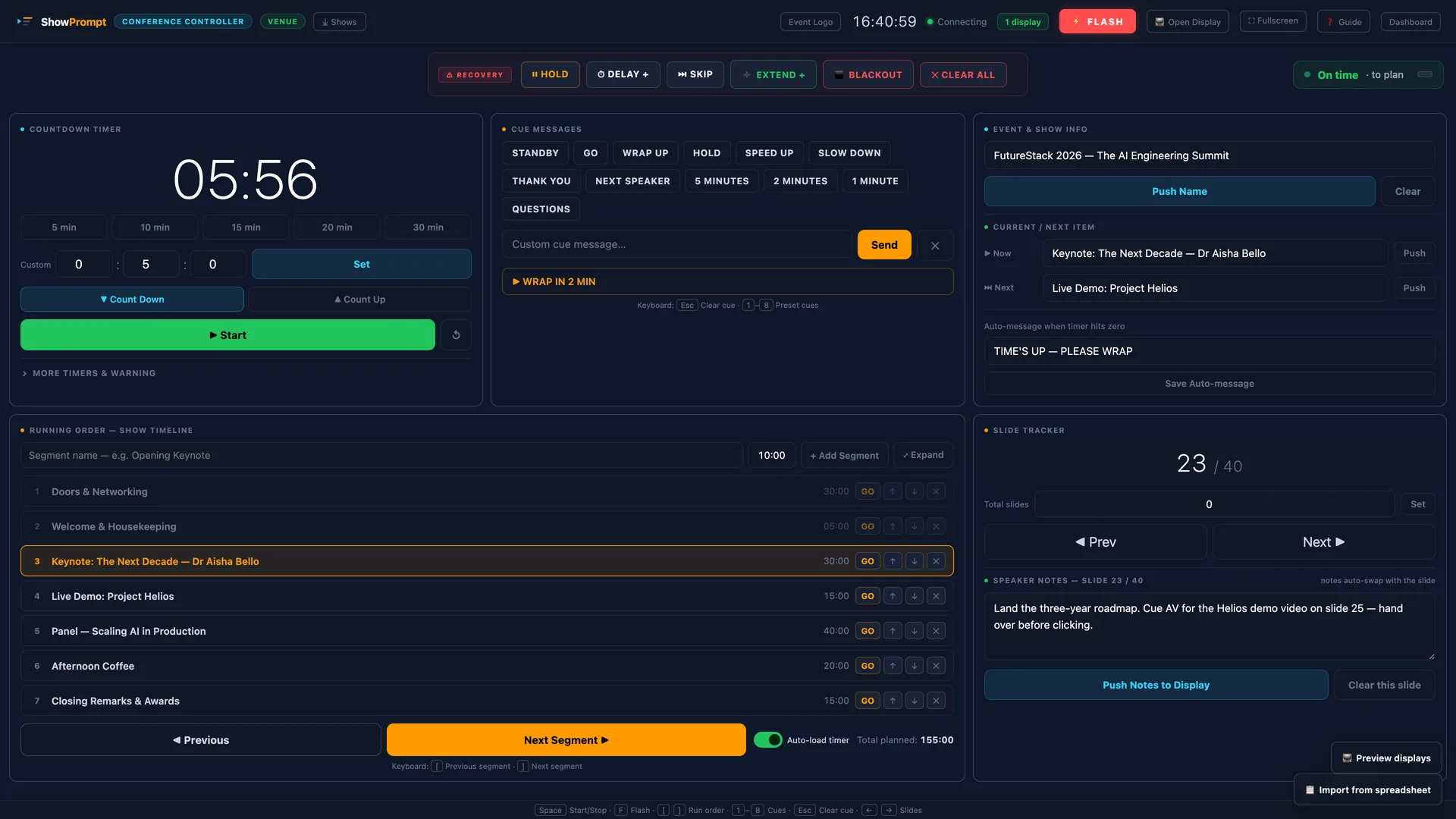
ShowPrompt turns any screen into a presenter cue display. Time remaining, now/next, and director notes appear on a clean, high-contrast display the presenter can see from their position. The production team pushes updates from the controller in real time.
What's included
Time remaining
Large, clear countdown the presenter can read from 2–3 metres. Flash warning when time is nearly up.
Now / next display
Current and next items from the running order, always visible. Presenter always knows where they are.
Director notes
Push messages from director to presenter in real time. Wrap up, slow down, skip segment — no IEM needed.
Any device
A tablet on the desk, a phone on a stand, a monitor at the side of stage — any browser-capable device works.
Local network
Runs on your local network. No internet dependency. Reliable in any venue.
Instant updates
Director messages and cue changes push instantly. No refresh, no lag, no delay between controller and presenter screen.
Questions about Presenter
Can the presenter interact with their cue screen?
What's the best device to use as a presenter screen?
Can I use it for a panel show with multiple presenters?
Is this the same as an autocue or teleprompter?
Controlled from the desk
Ready to try ShowPrompt?
Download free today. Upgrade to Pro or Venue when you need more.